Immersive VR installation · 2026

STELLATION

Stellation is a hand-tracked VR installation built around removing stars from an instanced starfield. Each completed interaction updates persistent world state and controls the remaining stars, lighting, sound, and environment which all create a cohesive environment.

Unreal Engine 5BlueprintsBlenderMeta Quest 3Hand tracking
RoleSolo dev
ToolsUnreal Engine 5, Blender, Meta XR
PlatformMeta Quest 3 / PC
FormatApprox. 10 x 10 ft installation

OVERVIEW

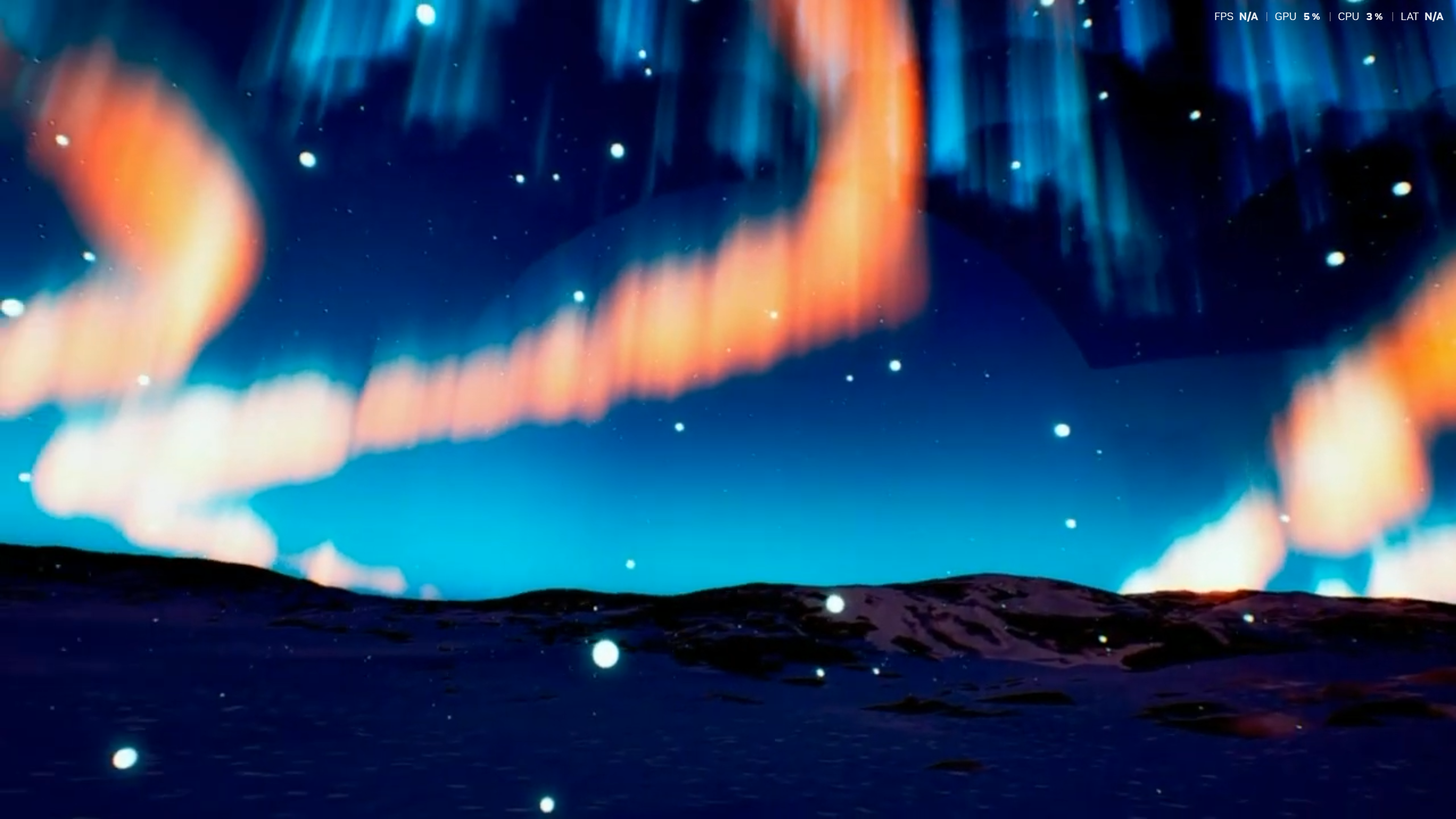
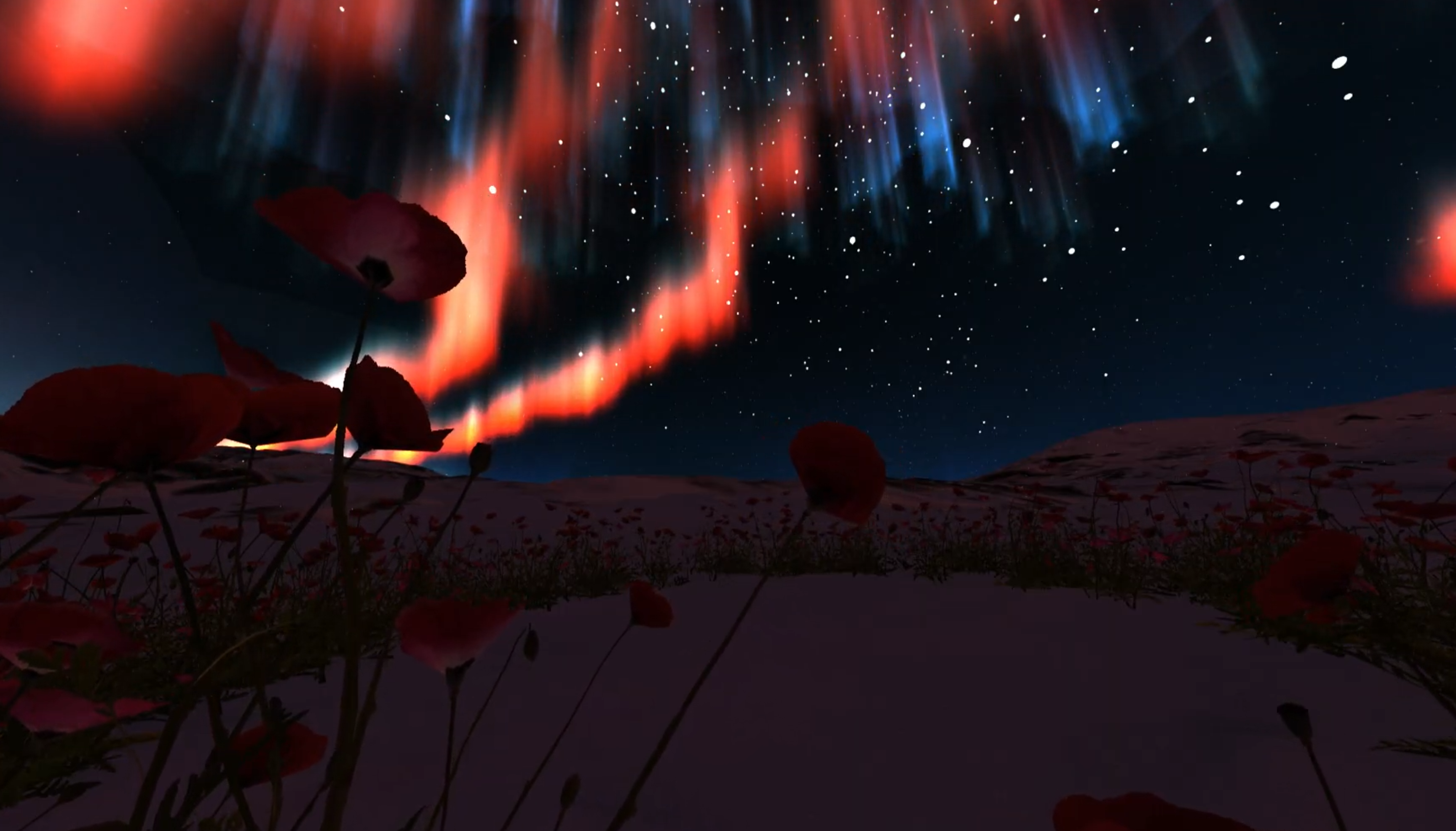
This project is an immersive VR installation about delayed consequence. The installation takes place in a darkened room with a VR headset hanging from the ceiling under a spotlight, surrounded by a ring of soil, while ambient audio plays through speakers in the space. Once inside the headset, the viewer enters a celestial environment filled with stars, flora, and a large planetary body overhead. Using hand tracking, the viewer can physically reach upward and pull stars from the sky.

Once extracted, the stars permanently accumulate around the player and cannot be returned. As more stars are taken, the environment gradually transforms in response. The sky becomes emptier, lighting shifts, and layered bell-like tones slowly build into denser sounds. The outside audience watches the experience through a projected environmental point of view rather than the participant’s own perspective, creating a separation between the person acting within the system and the world reacting to those actions.

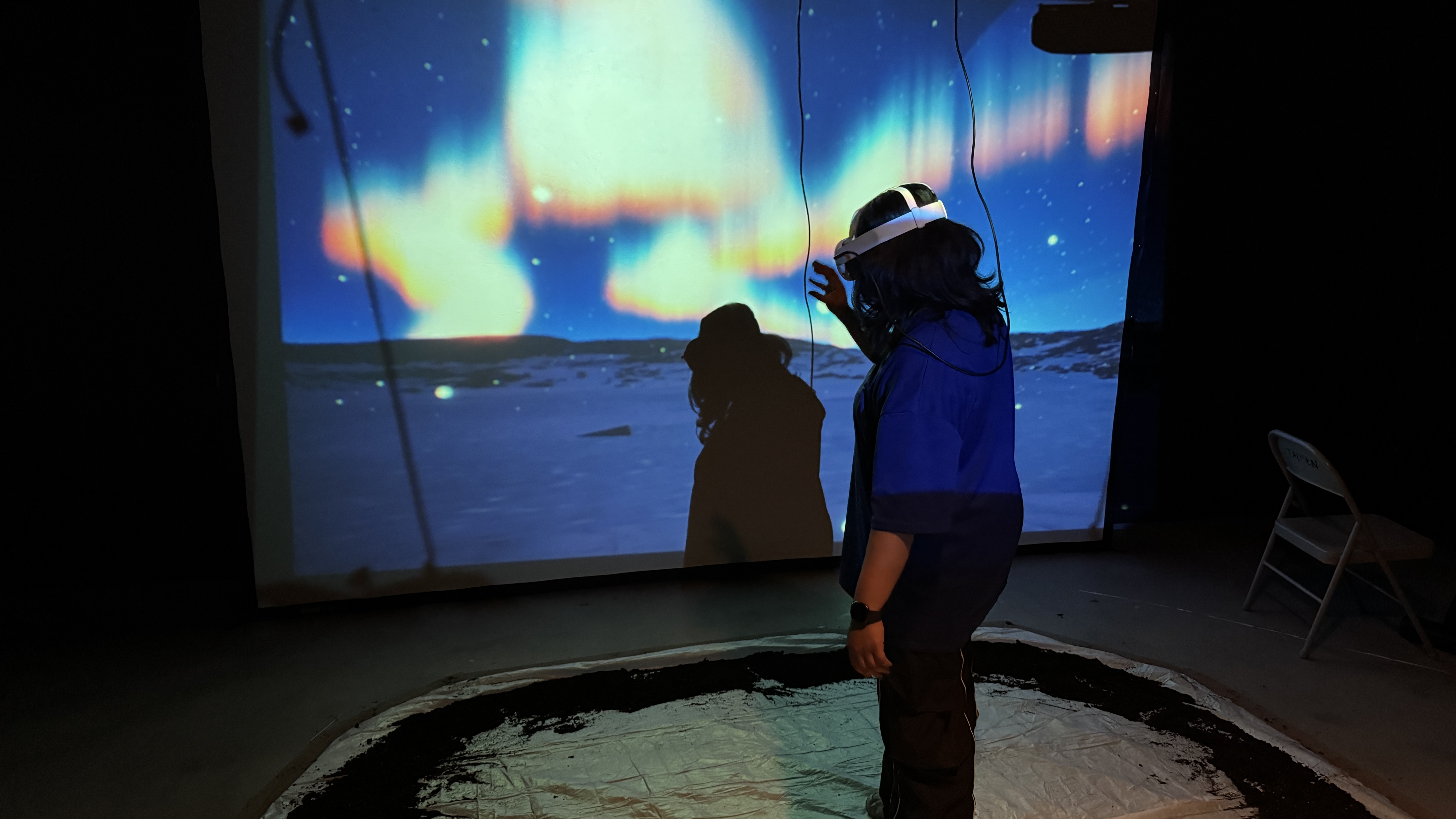
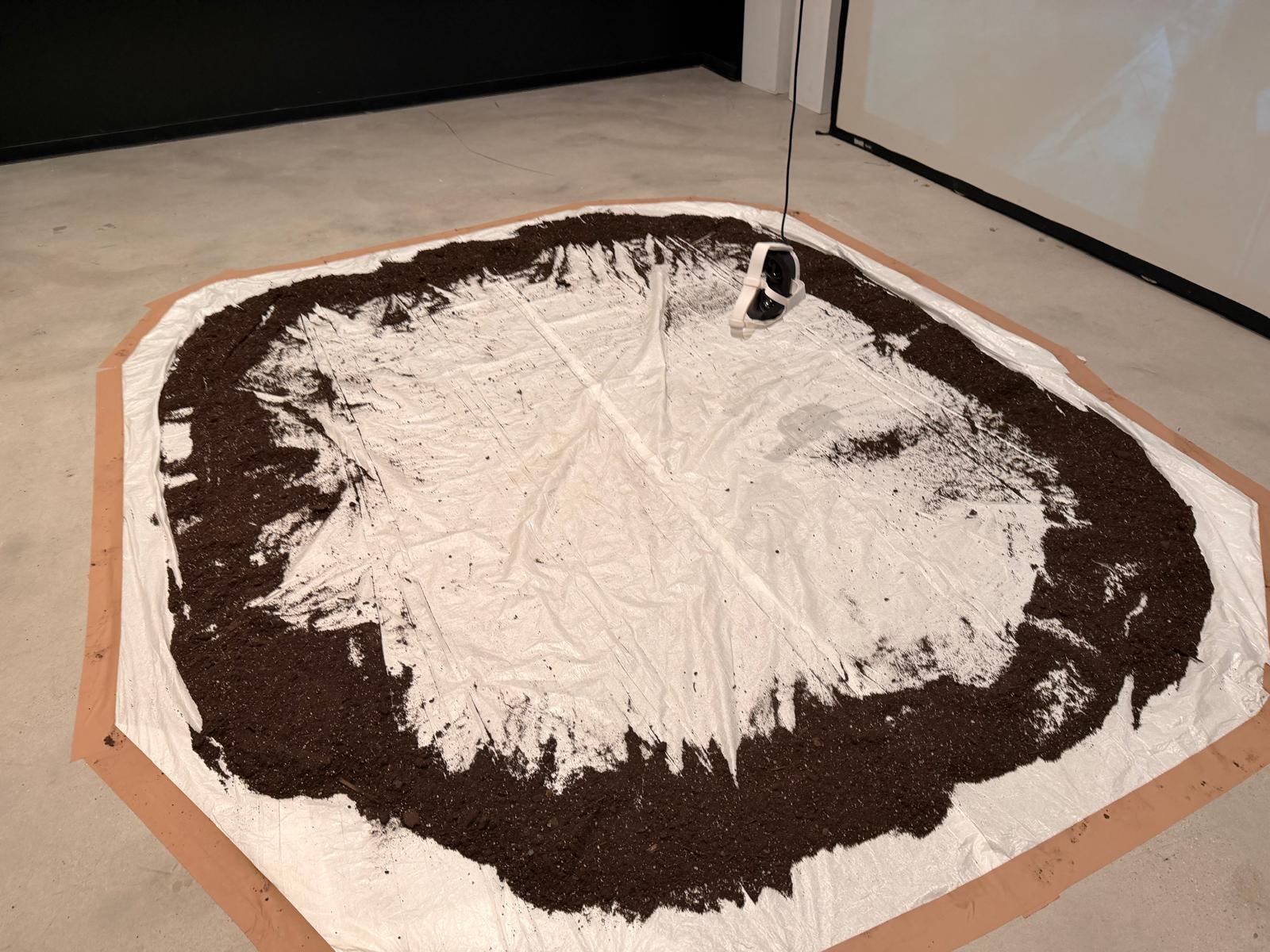
The physical installation uses a suspended Meta Quest headset, a ring of real dirt, a projector, and a tarp in a dark room. The dirt marks the tracked standing area and adds the smell of earth to the room, layering the experience further. The projector shows a separate spectator camera rather than mirroring the headset, giving the audience a wider view of the environmental changes while the participant focuses on what's in front of them and not the bigger picture.

DETAILS

Concept

The interaction is structured around delayed consequence. Removing one star produces a limited response. Repeating the same action changes the star count, lighting, atmosphere, and sound until the cumulative result becomes clear.

The work focuses on the idea that actions often feel insignificant in the moment while still permanently reshaping systems over time. It was initially inspired by the concept of Shani, the Hindu embodiment of Saturn and delayed consequence, though the project avoids direct cultural representation and instead uses the idea as a conceptual point of departure. I was more interested in the feeling of inevitability and transformation than presenting a fixed moral statement. Rather than framing consequence as strictly punishment, the installation treats it as redistribution and instability. The system continuously changes based on interaction, and some changes may initially appear neutral before becoming overwhelming later. I wanted viewers to project their own interpretations onto the experience depending on what resonates with them personally.

I did not add a score, failure state, or explicit punishment. The participant can continue removing stars or stop at any point. The project reports the outcome through changes in the environment instead of labeling the participant’s choices, but to reset, you have to reboot the whole simulation.

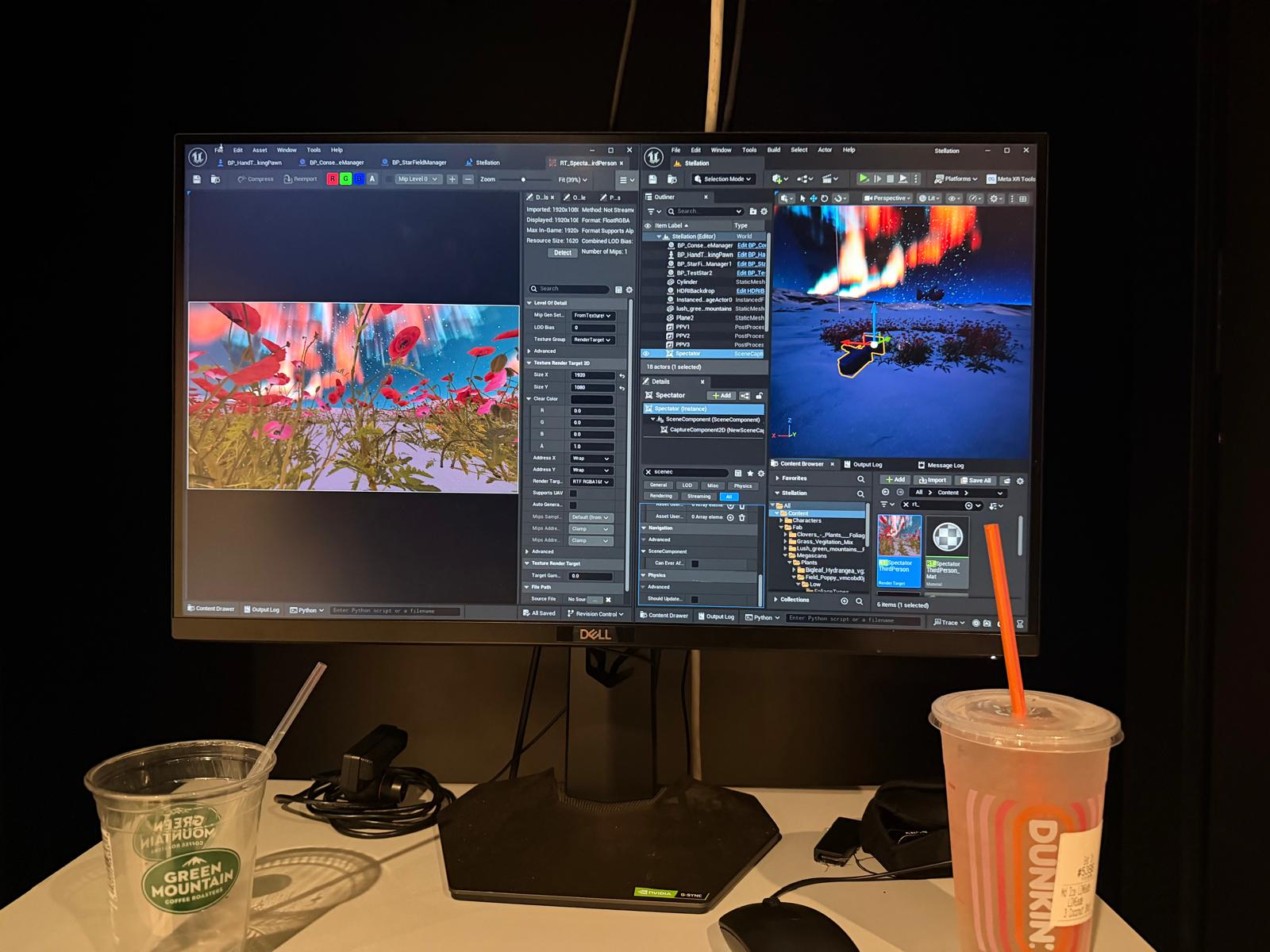
The headset and projector use different cameras. The headset view prioritizes the tracked hands and nearby stars. The projected view shows more of the environment so the audience can follow the cumulative state changes, and see the ring of stars that form around the player. The ring of dirt defines the participant’s area and adds a scent reference to the landscape shown in VR. In keeping with the Saturn theme, I seem to have subconsciously used a lot of rings!

Technology

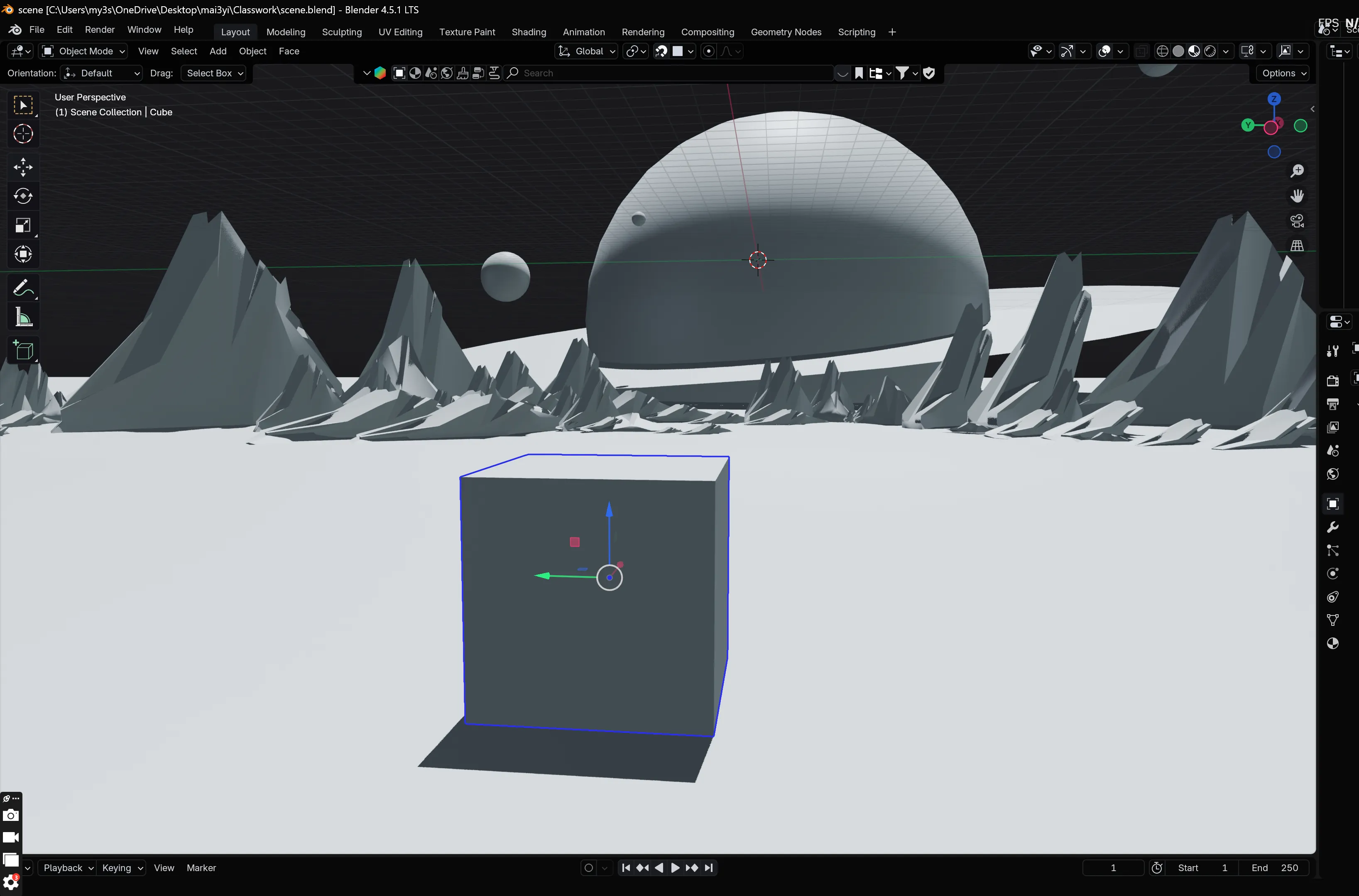
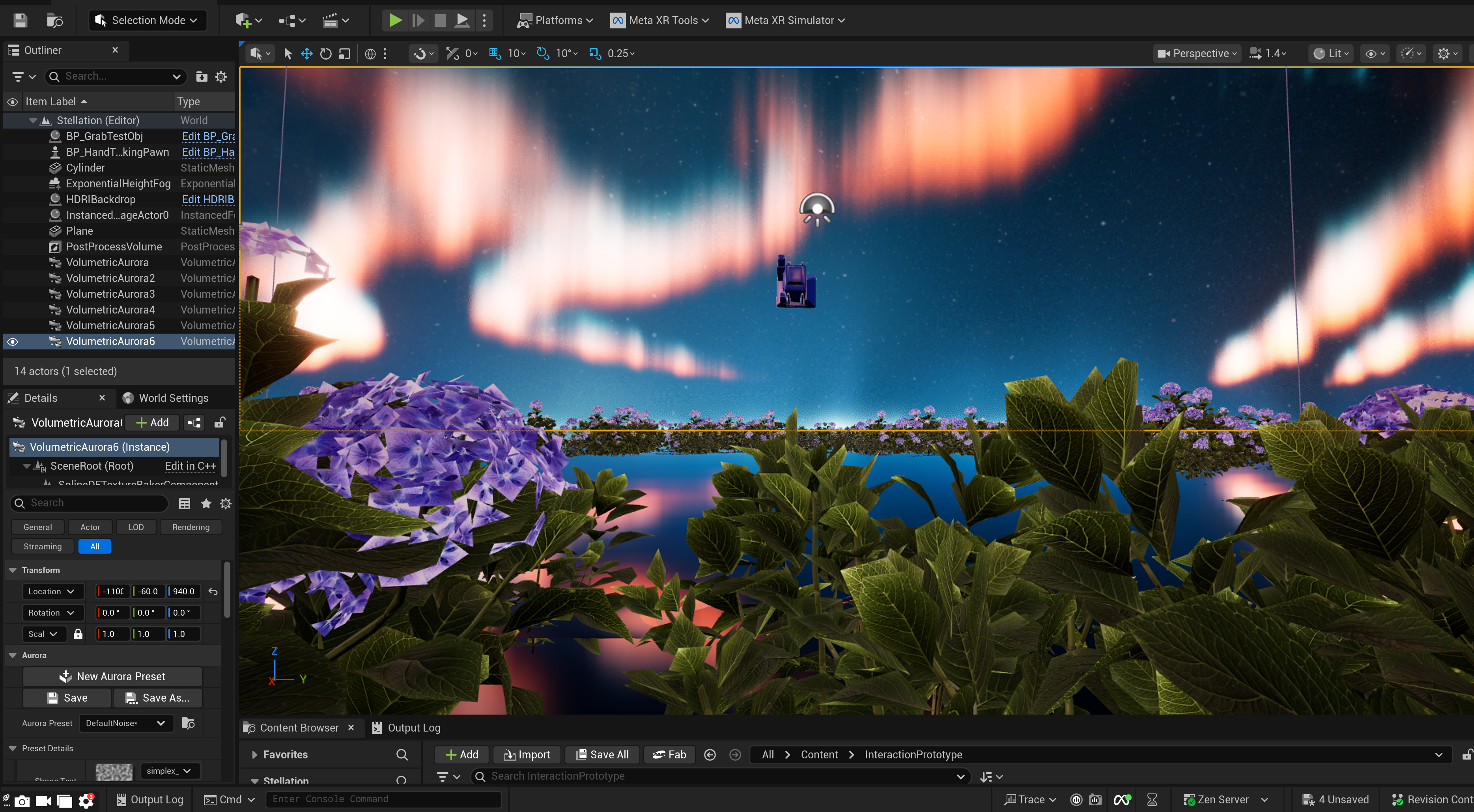
I started the environment in Blender with a low-poly terrain blockout, reusable rock forms, the planetary body, and planes. The scale had to read correctly from inside VR, so the blockout was tested before I committed to detail. I kept the geometry as simple as possible and leaned on materials, normal detail, fog, bloom, and the aurora for atmosphere.

The star field uses instancing because most stars are background objects at any given moment. A construction script creates the initial field, while a manager handles conversion and the overall state. When a hand approaches a valid star, the system swaps that instance for an actor at the same transform. Only the active star pays for individual logic, movement, and repeated hand interaction.

Meta XR supplies both tracked hand poses. The final Blueprint setup updates from those positions, lets a converted star follow the active hand, and keeps it available until it reaches the grab zone. From there it moves into an orbiting accumulated state. This was more reliable than holding the entire interaction behind a pinch gesture, especially while conversion was still being debugged.

The completed interaction updates the running star state used by the rest of the scene. That state controls the visible depletion of the field and coordinates changes in lighting, atmosphere, and sound. A separate spectator camera feeds the projector instead of mirroring the headset. External speakers carry the ambient layer and the bell-like tones added by each removed star.

The star system needed to render a large field while allowing individual stars to respond to tracked hands. Spawning the entire field as actors would have added unnecessary weight to the project and lagged severely. Keeping every star as an instance would not provide the per-object behavior required for interaction.

So, I decided to split it. The construction script creates the initial field as lightweight instances. The starfield manager keeps the field organized and handles the transition into interaction. When a tracked hand gets close enough, the relevant instance is replaced by an actor at the same location. That actor can follow the hand, be pulled into the grab zone, and move into its final orbit. Once the interaction completes, the system records another removed star and uses that running state to drive the rest of the experience.

The final hand setup supports both hands. A converted star can be approached again if the first pull is interrupted, and it stays interactive until it reaches the grab zone. I originally planned a pinch mechanic, but it stayed on the back burner while I fixed conversion and follow behavior. The proximity-and-pull version was clearer and was the version used in the finished installation.

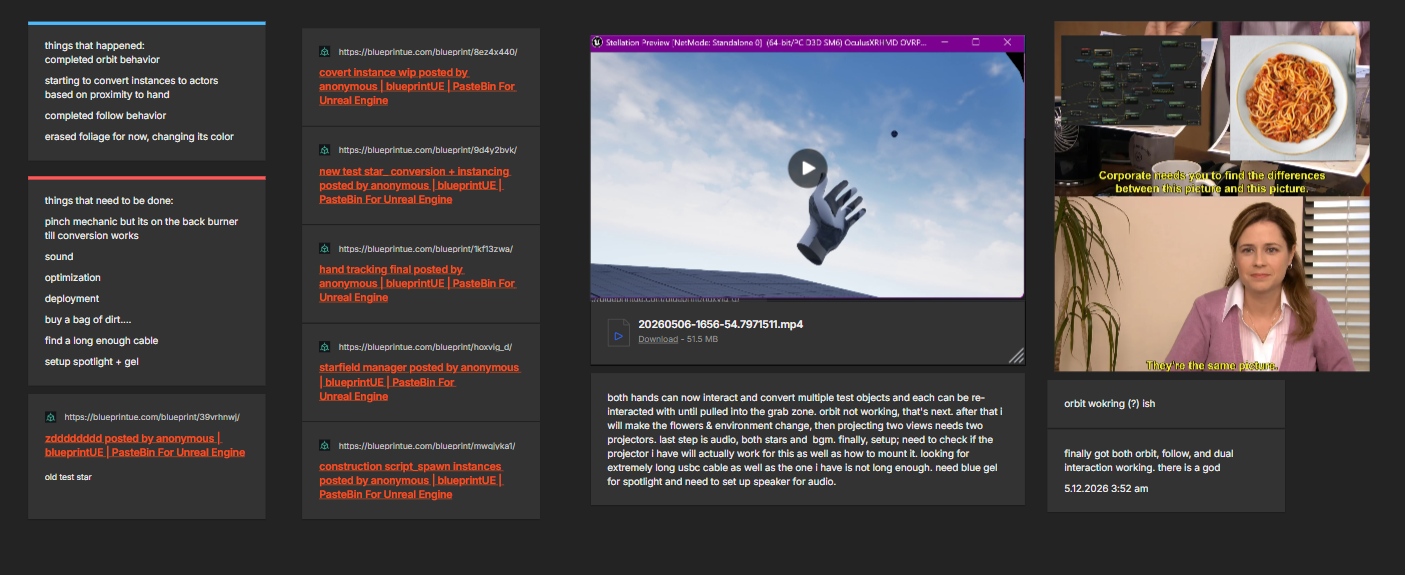
These are the working Blueprint records behind the interaction. Each embed is the BlueprintUE viewer, so it can be panned and zoomed. If an embed is blocked or doesn't work for some reason, the source link under its name opens the original.

04

Conversion + Instancing Test

This's the handoff between the efficient background field and the interactive actor. The important part is preserving the selected star's position during the swap, removing the old instance, and giving the new actor the behavior the original instance could not carry.

open Star Conversion + Instancing Test on BlueprintUE ↗
05

Hand Tracking Final

The final hand graph updates interaction from both tracked hands and connects the follow and orbit states. Converted stars remain available until they are pulled into the grab zone, which made interrupted interactions recoverable instead of silently failing.

open Hand Tracking - Final on BlueprintUE ↗

Hand-tracking test

This test shows the interaction before the full environment and installation were finished. Both hands can activate nearby test objects, and each object remains interactive until it reaches the grab zone.

Meme comparing a complex Unreal Engine Blueprint graph to a plate of spaghetti
The Blueprint graphs were functional, but they were not pretty... Surprisingly, though, I found I preferred this method of construction to Unity's C# scripts. I think it's because the predefined actions give me more of a sense of what options I have, while in C#, I have to look up a lot of documentation and tutorials to piece things together. That said, the C# scripts were certainly much cleaner than this.

Process

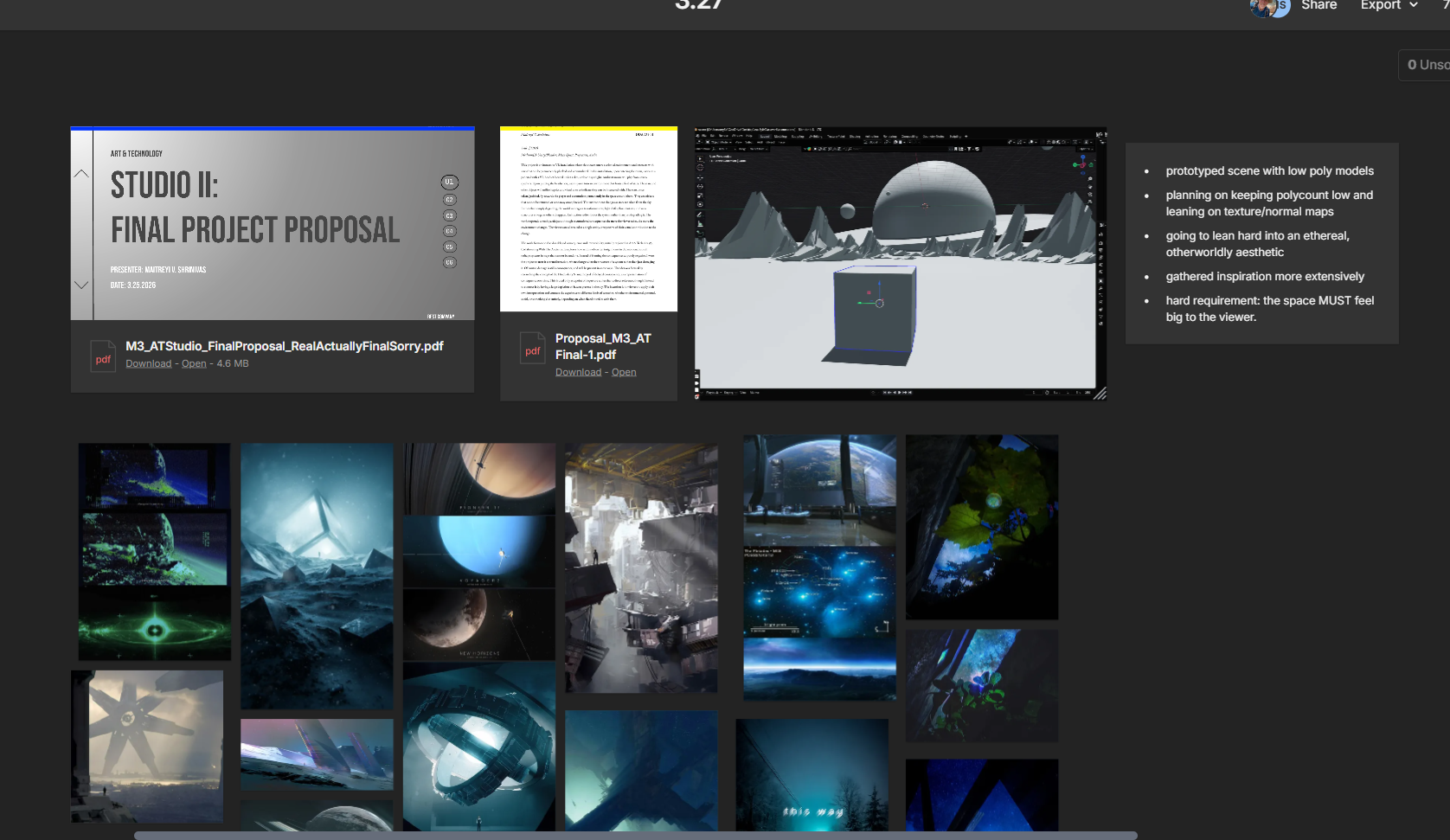
I began by writing the interaction and installation requirements before building the polished environment. The main visual requirement was scale: the virtual space had to feel much larger than the physical room. A Blender blockout tested the terrain, planet, horizon, and player viewpoint with very simple geometry.

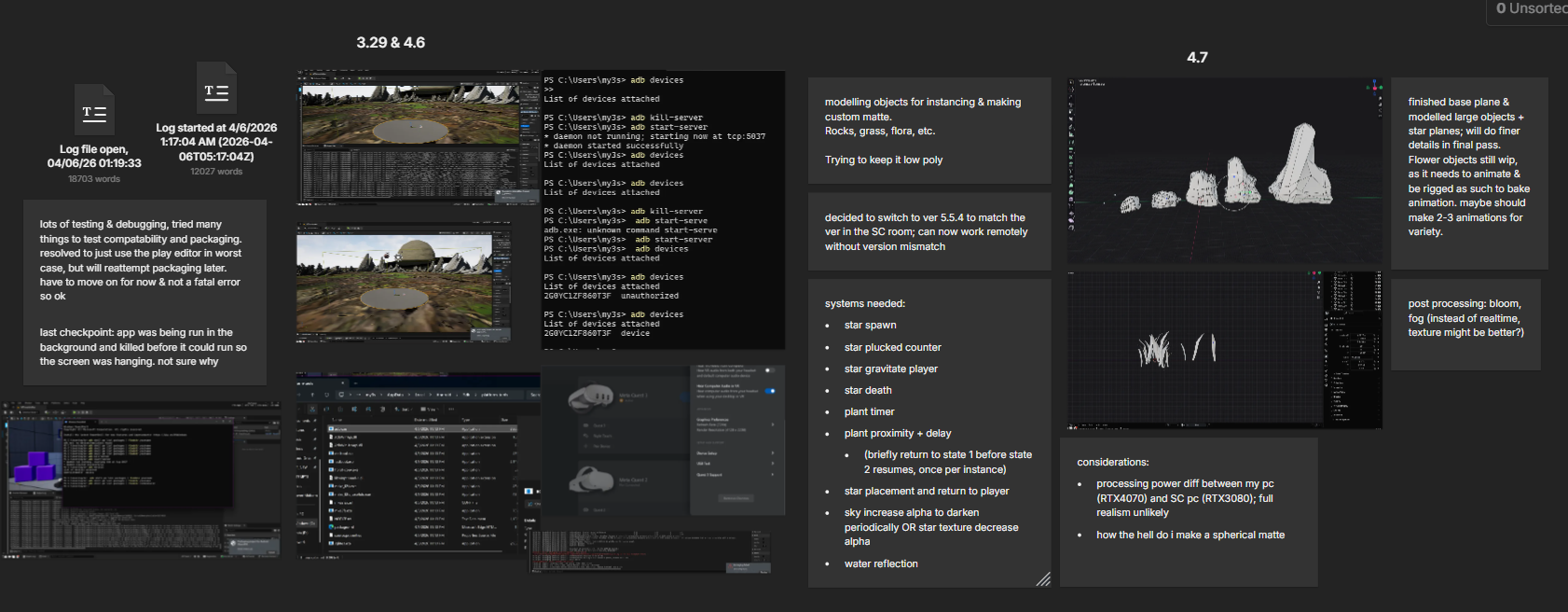
Once the scale worked, I built the reusable low-poly rocks, grass, flora, and larger scene forms. The look moved toward a celestial meadow rather than a bare sci-fi landscape. Fog, bloom, material detail, and volumetric aurora did more of the visual work than dense geometry.

I did not start by debugging the complete world. The hand-tracking test used simple objects and a plain environment so I could isolate conversion, follow behavior, the grab zone, orbit, and dual-hand support. After those states worked together, I moved them back into the full star field and connected the result to the environment.

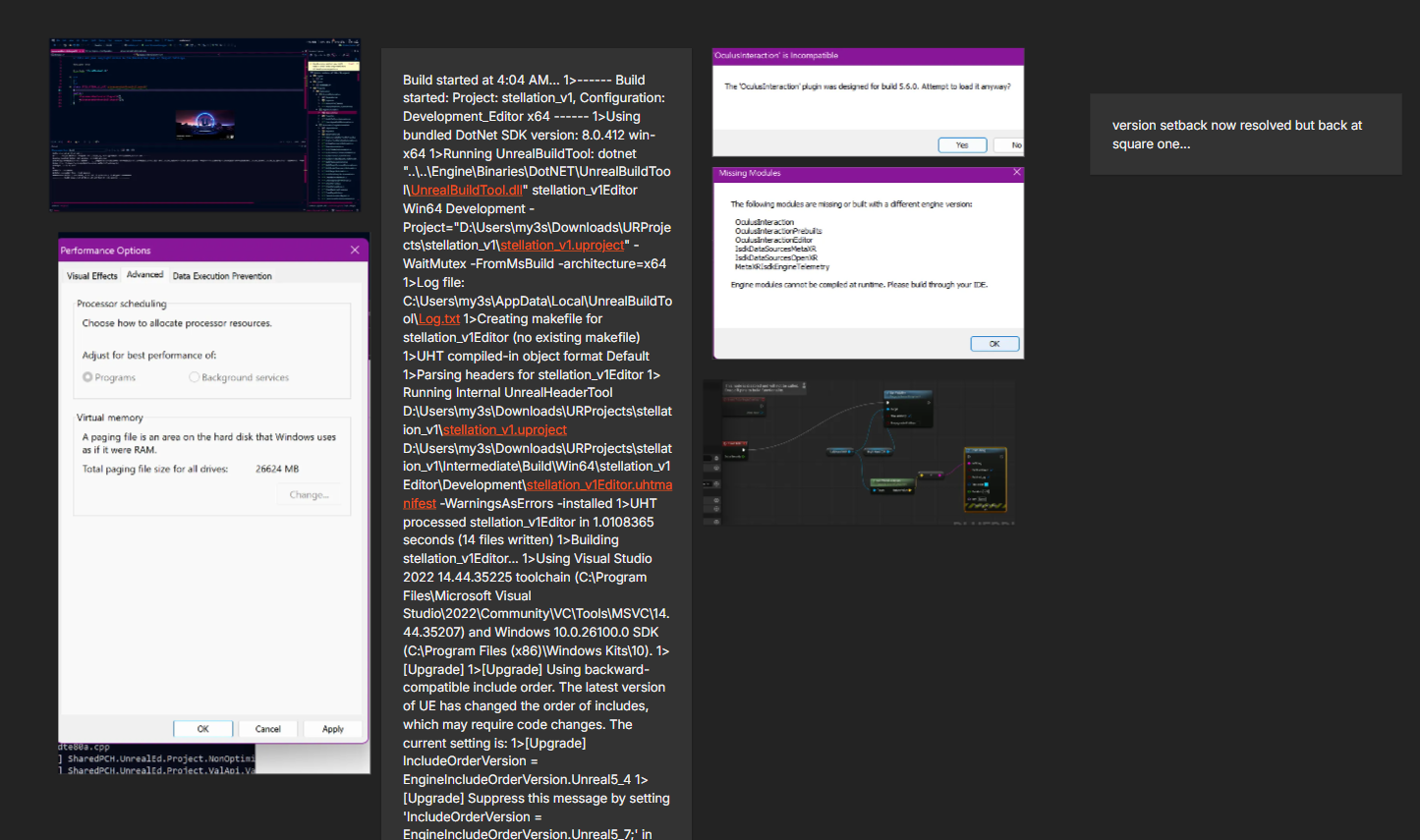
The project moved across Unreal versions while I was working between machines. Oculus Interaction modules built for a different engine version stopped the project from loading cleanly, and the upgrade path generated additional build work. I moved to Unreal 5.5.4 to match the studio machine, rebuilt the project, and recovered a working editor state.

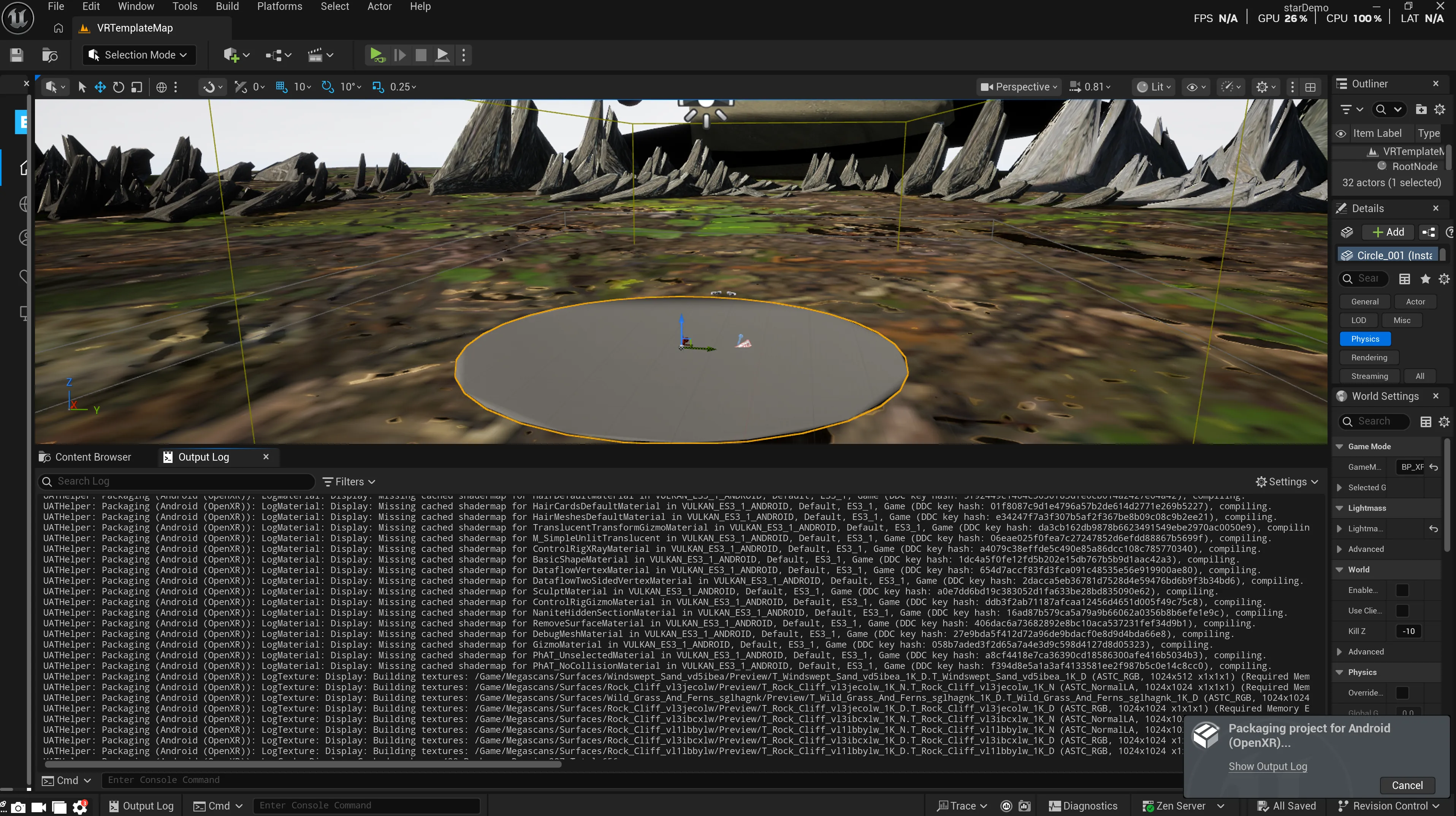
I also tested Android/OpenXR packaging for Quest deployment. That pass compiled Vulkan ES3.1 shader maps and converted the environment textures for mobile rendering. The standalone build remained less stable, so the final installation used the PC-driven build with the Quest as the headset.

The installation pass included framing the spectator camera, testing the projector, routing a longer headset cable, suspending and lighting the headset, setting up the speakers, and maintaining clearance for tracked movement etc. I used a ring of real dirt as the visible boundary. Its smell added a physical reference to the landscape inside the headset.

Constraints

The biggest technical conflict was that instanced meshes are efficient because they do not behave like separate actors, while the project needed the participant to select and move individual stars. conversion solved that conflict, but it introduced transform handoff, instance removal, state ownership, and interrupted-interaction problems that had to be solved instead.

Bare-hand tracking has less explicit input than a controller. The final interaction used proximity, follow behavior, and a clear grab zone. Both hands needed to work without competing for the same object or leaving a star stranded between states.

The studio computer and personal development machine were not initially on the same Unreal version. That mismatch affected the Oculus Interaction modules and forced a version recovery before the project could move forward. This was a build-environment problem, not a scene-design problem, but it blocked every part of the project until it was resolved.

The Android/OpenXR build exposed the rendering cost of the scene. I controlled geometry and instance count, but the standalone build remained less reliable. The final installation therefore used the PC-driven version.

The headset needed a stable interaction view, while the projector needed a wider spectator view. The room required controlled lighting, speaker coverage, a safe tracked area, cable clearance, and a visible physical boundary. The ring of dirt marked that boundary physically while there was a smaller quest boundary that came built in with the software that I setup to ensure nobody would step out of bounds or get dirty.