Interactive VR installation · 2025

ZONE ONE

A large scale VR environment exploring markmaking in a temporary space.

UnityC#XRBlender
RoleSolo dev
ToolsUnity, C#, Blender
PlatformMeta Quest / PC
ContextPratt Art + Tech Studio I

OVERVIEW

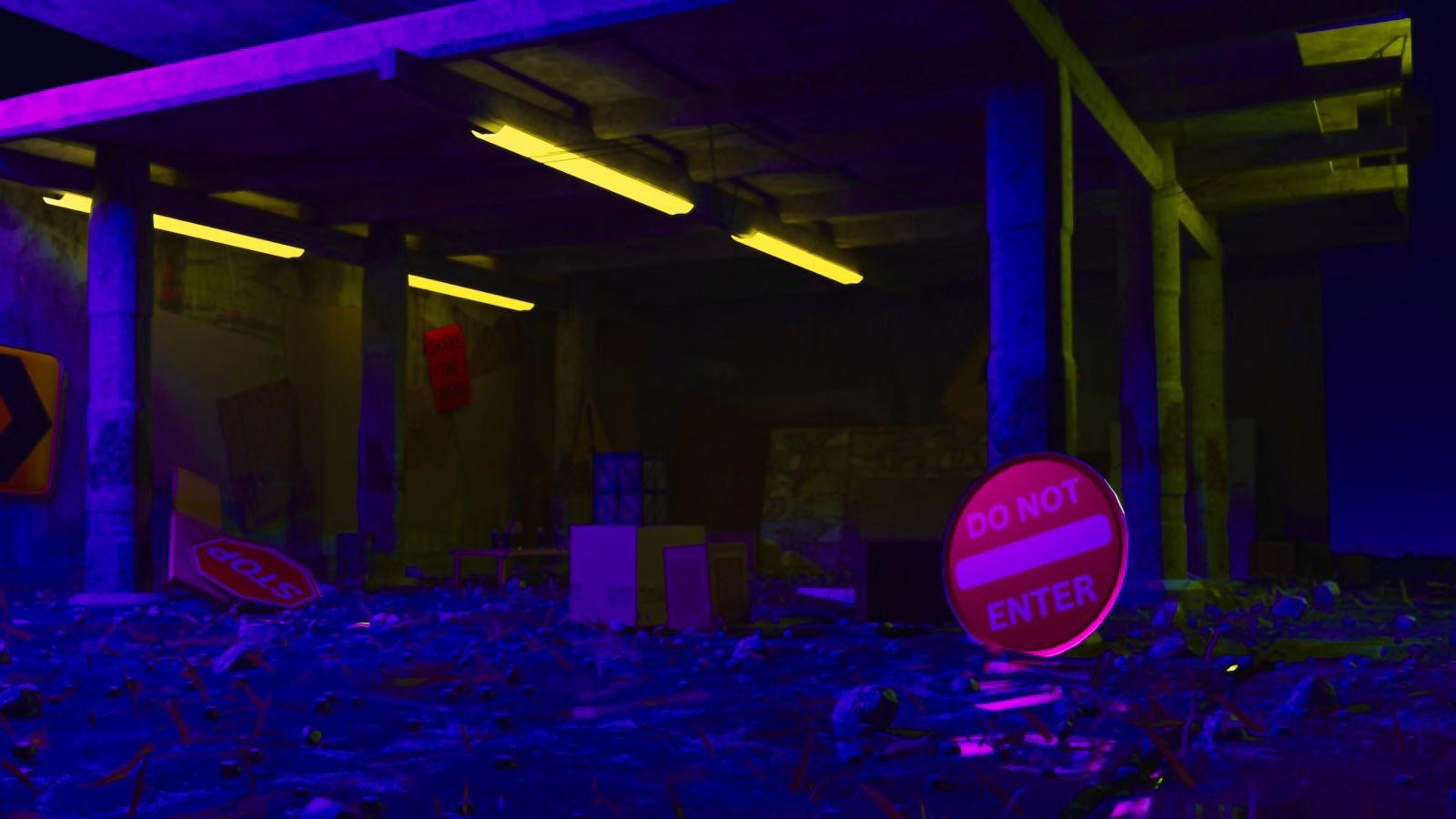
Zone One is a single-scene VR environment lit in neon lighting and focusing on temporary markmaking in a virtual space. Users remain inside a bounded space and interact with the world around them by grabbing, throwing, and spray-painting surfaces with neon spray cans of various colors.

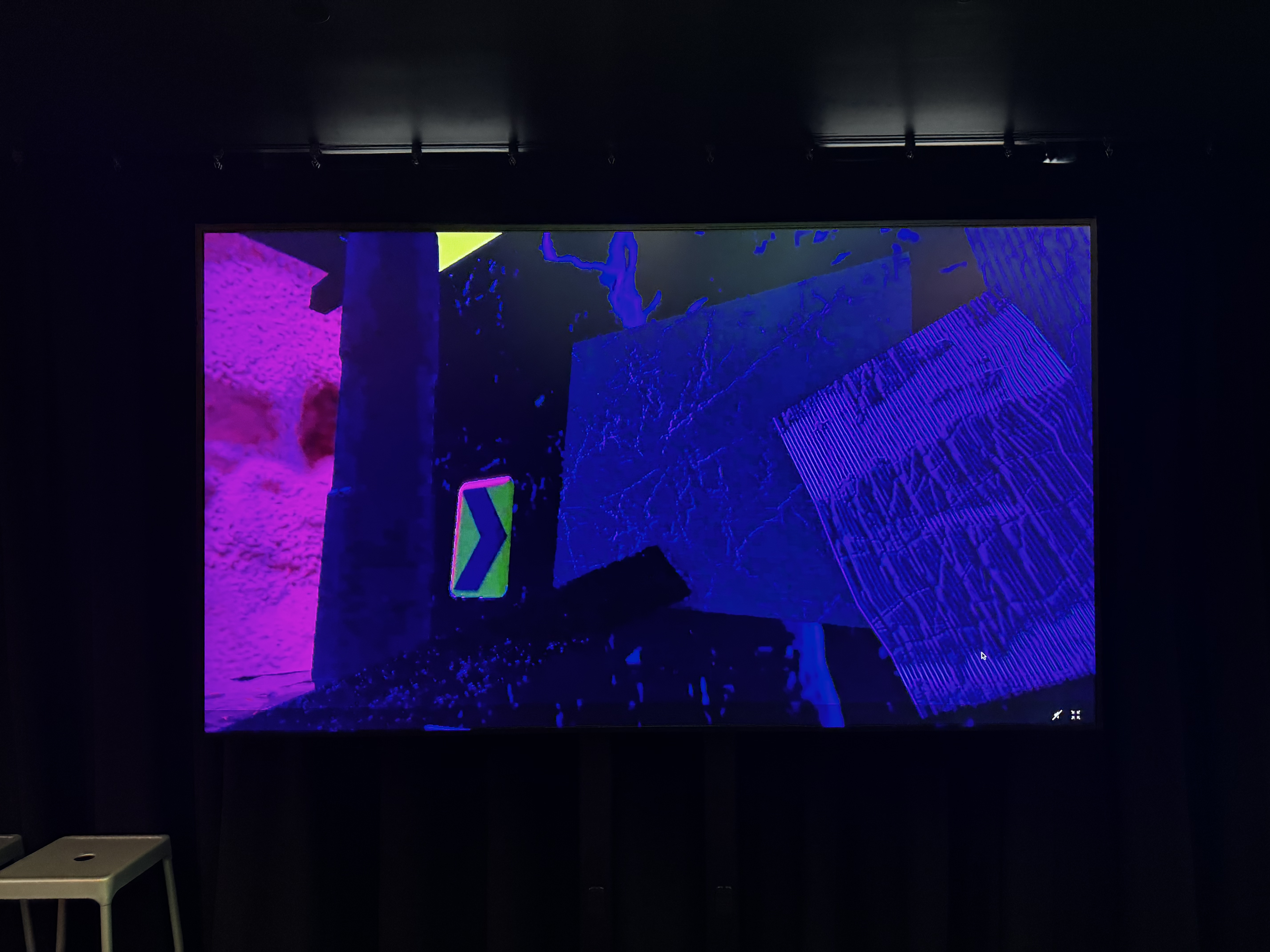
The project was presented as the final work for Art + Tech Studio I at Pratt Institute. It functioned as an on-site VR installation in Myrtle Digital Plaza, with headset interaction, ambient audio, and external screen capture for viewers outside the headset.

DETAILS

Concept

Zone One is an immersive VR installation built in Unity for Meta Quest, with optional PC linking for higher quality rendering. It utilizes gesture-based graffiti interaction & realtime object handling in order to deliver the full visual experience. It was designed to function both as a headset experience and as a projected installation in a controlled gallery setting.

The goal was building a cinematic real-time environment that could support user input over the environment without requiring navigation, tutorials, or menus. All interactive props use standard VR grab-and-throw mechanics so their affordances are communicated through object behavior and scale.

The interaction is deliberately concentrated in movable props to avoid overwhelming the user and to preserve performance in a standalone VR context. Users observably enjoyed throwing every movable object out of the scene, so that behavior was intentionally retained rather than restricted.

The spray-paint system introduces a temporary form of mark-making. Paint decals fade and delete themselves after a fixed lifetime, preventing overloading the headset and allowing users to not fixate on the outcome.

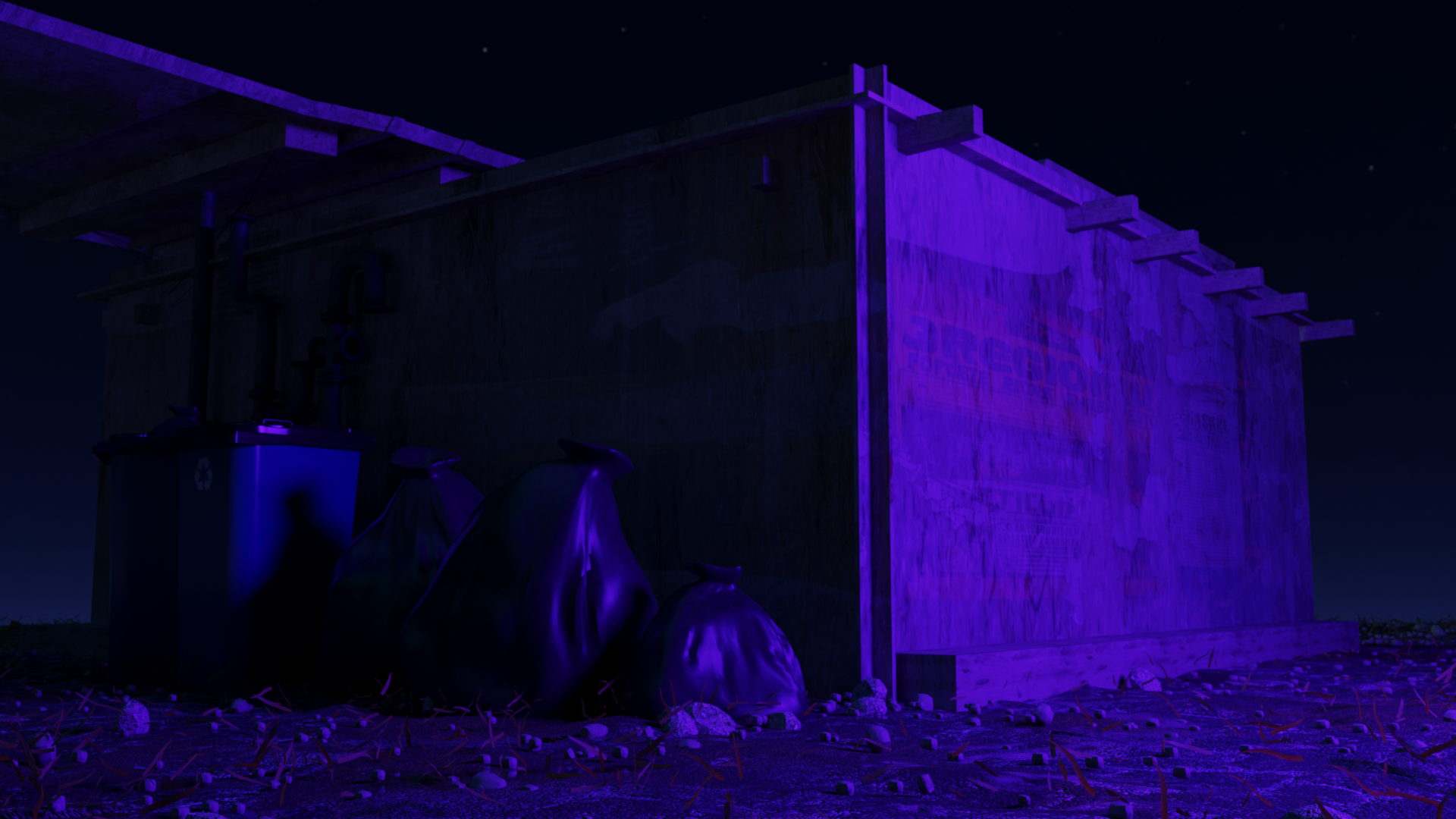
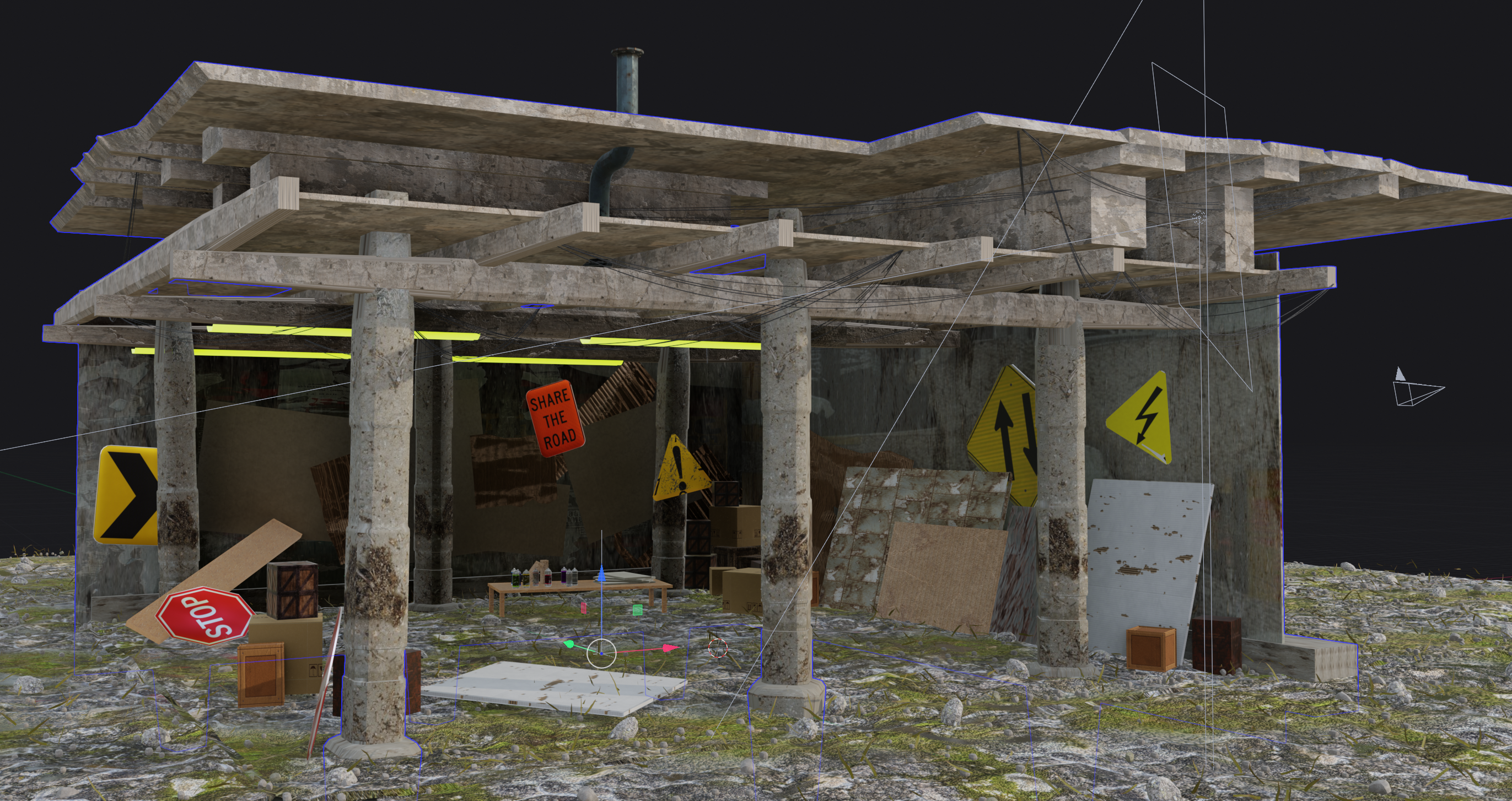
The environment is a concrete underpass assembled from modular pillar, beam, and wall assets modeled and textured from scratch in Blender. Its layout was designed to:

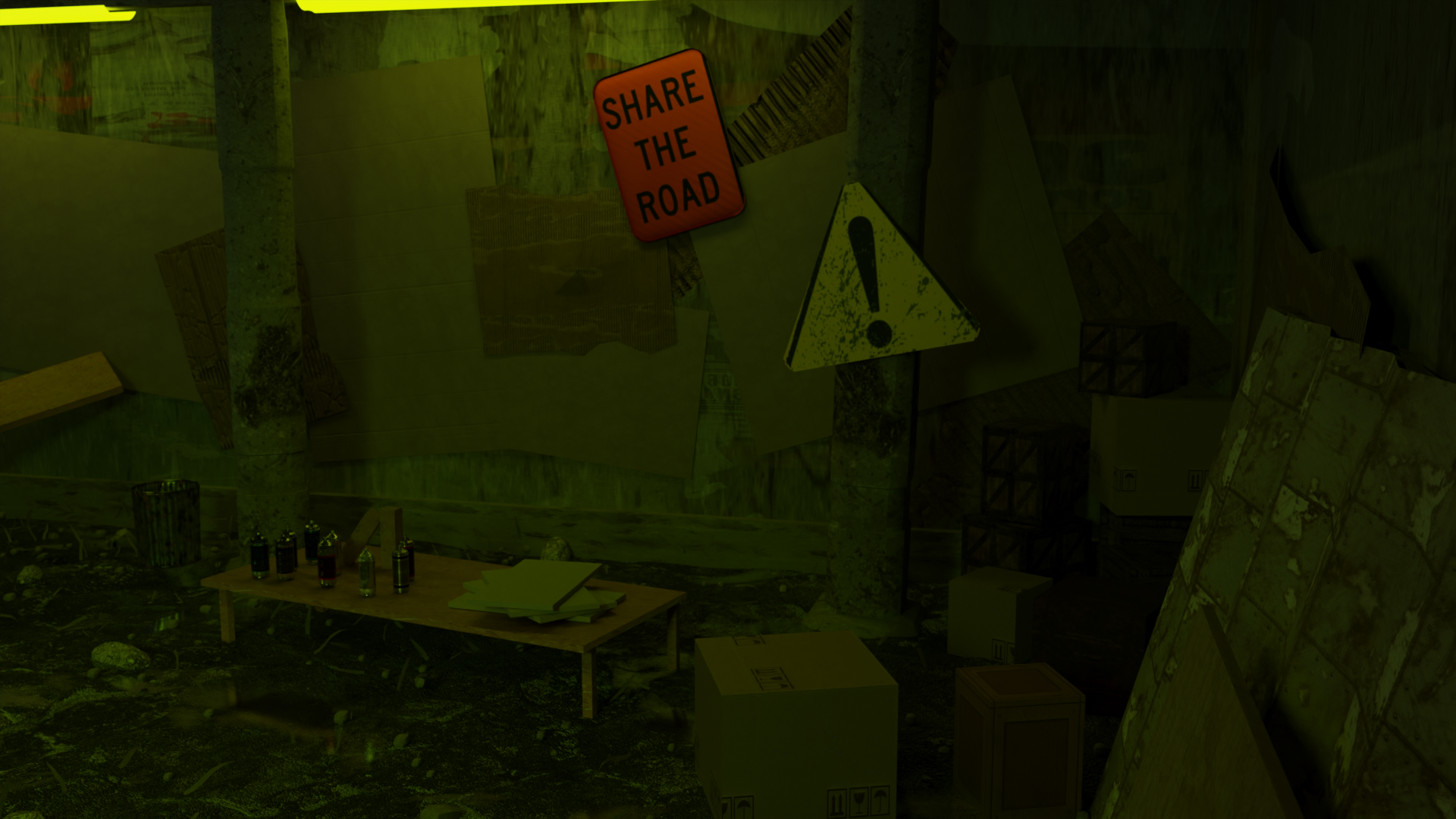
Environmental details include rocks, cables, signage, crates, trash bags, and other debris positioned to build up the environment in a meaningful and believable way. Assets were organized into logical groups for easy and convenient navigation.

Wide view of Zone One's modular concrete underpass environment
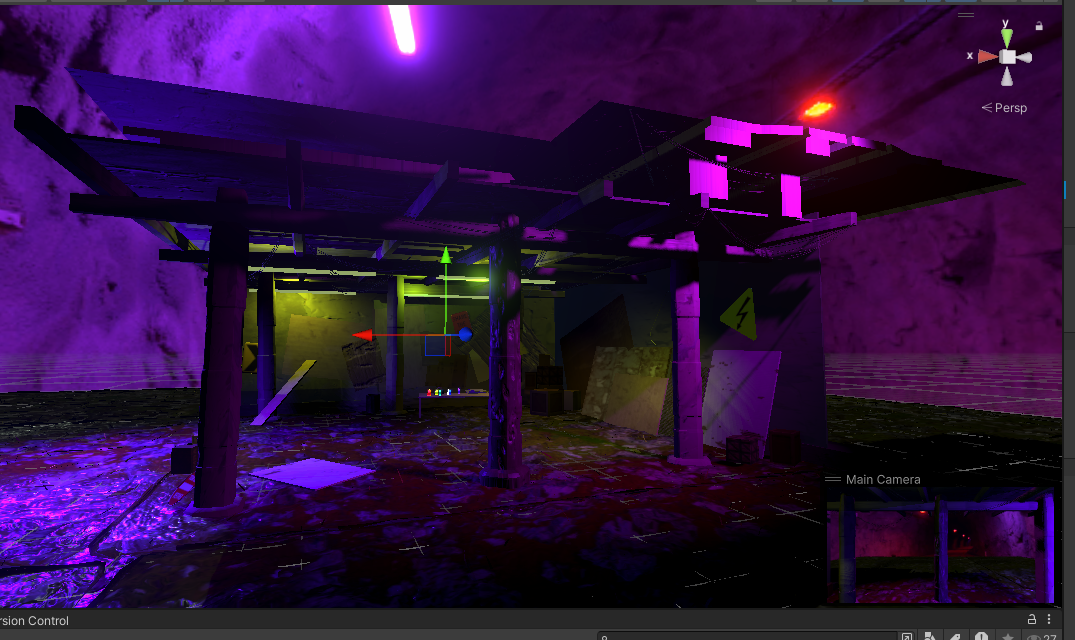
The completed modular environment and its distinct neon lighting zones.

Technology

All props were made in Blender. The scene ran in Unity and was displayed through a Meta Quest 3S while simultaneously projected onto two television screens for people outside the headset. Ambient music played in the installation space. Development also used manual Airlink for testing before the standalone Android APK build.

Blockout and modeling were performed with VR scale in mind, then exported into Unity early to validate spatial proportions in-engine. There were some hiccups. At first, the scene resembled something similar to a dollhouse or a diorama, moving like a little box attached to the viewer's head. After troubleshooting, the scale was finally corrected. I found that VR exaggerates scale errors that can look acceptable in a desktop viewport, so Unity was part of the production loop from the beginning to avoid things looking completely out of place.

I started texturing in Blender with procedural materials. My naive self soon found out why Procedural and node based textures were not usually meant for export outside the program. The Blender node graphs did not transfer reliably, forcing me to alternate to baking UV maps and normals for each object so that Unity could handle everything properly.

Zone One texture-baking and material-transfer workflow
Texture baking became mandatory after the original Blender materials failed in Unity.

Each affected asset was prepared, baked, re-imported, and checked in-engine. Baking also reduced my dependance on expensive or incompatible shaders and made surface appearance more predictable under Unity’s lighting model.

Unity handled scene assembly, lighting config, collider setup, rigidbody physics, XR grab interaction, particle-system iteration, and platform deployment. Basically everything else but the model. Static lighting was baked where it wouldn't be noticed to reduce overhead. C# handled behavior, including spray input, collision-driven decal placement, timed fading, and cleanup.

Final outputs included PC testing builds and an Android APK deployed to standalone Meta Quest hardware.

Process

Development was a constant back-and-forth across modeling, scale validation, interaction prototyping, troubleshooting, baking, lighting exploration, coding, scene assembly, VFX polishing, and optimization.

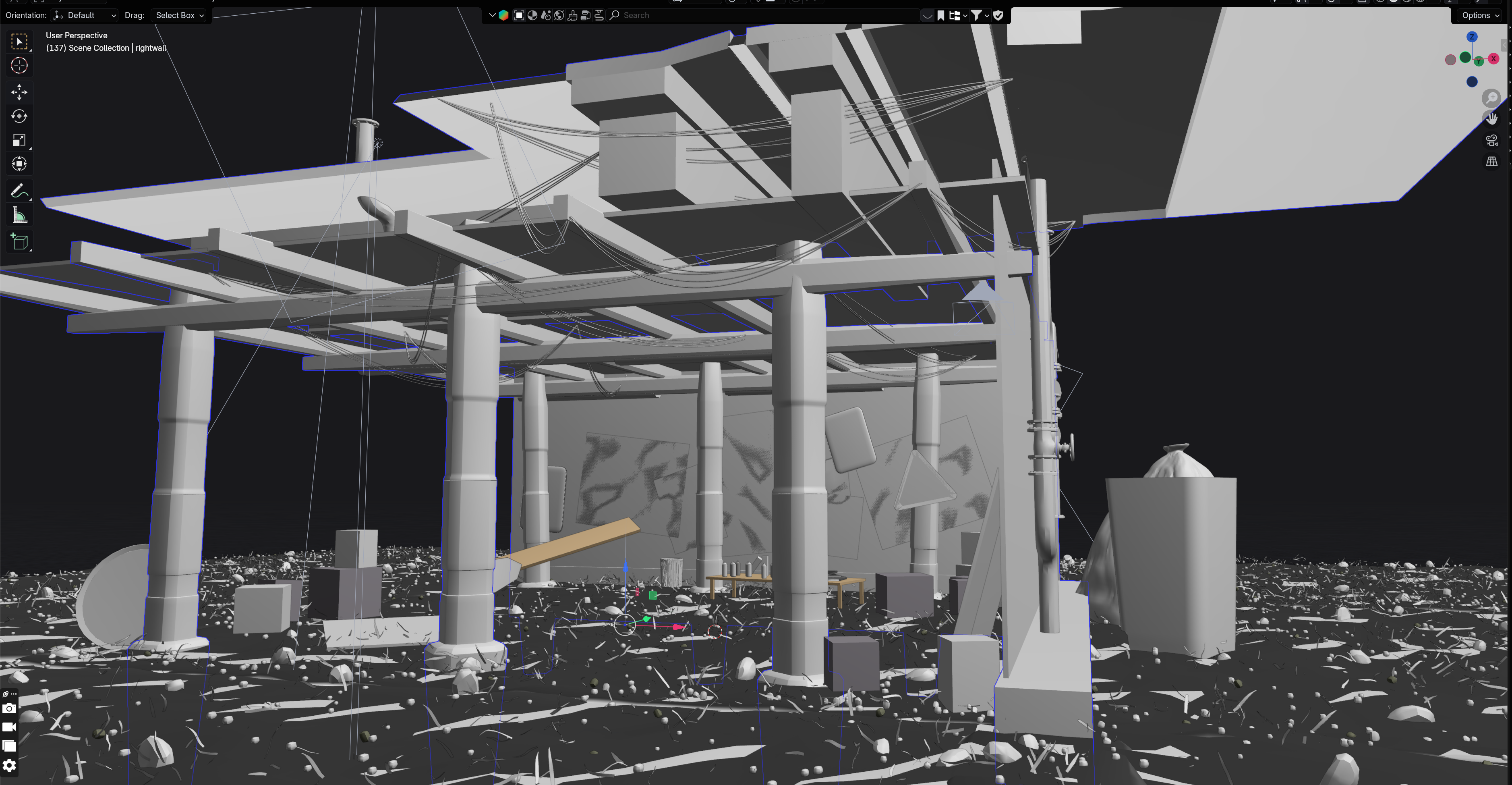
The environment began with modeling and blockout in Blender. Structural forms and major props established the space and density. Once the layout was solid, it was exported into Unity to test proportions inside the headset.

Early spatial blockout for Zone One
The early blockout established the tracked area, structural rhythm, and scene density.

After that, it was prototyped with simple grabbable and throwable boxes. This part focused on XR input, collider accuracy, and rigidbody stability before detailed props and visual polish increased the number of possible failure points (which was a good call, as there were absolutely failure points after).

Once the detailed FBX was returned to Unity, every procedural texture failed to display properly. Alternate UV maps had to be created for each object before the materials could be baked for export. An attempt was made to automate that work with a Python script, but scripting the solution was taking longer than finishing the remaining assets manually, so each asset was completed individually. I decided to save scripting for a different project.

Zone One Blender modeling and material workflow
Blender modeling, UV preparation, and material recovery before re-export.

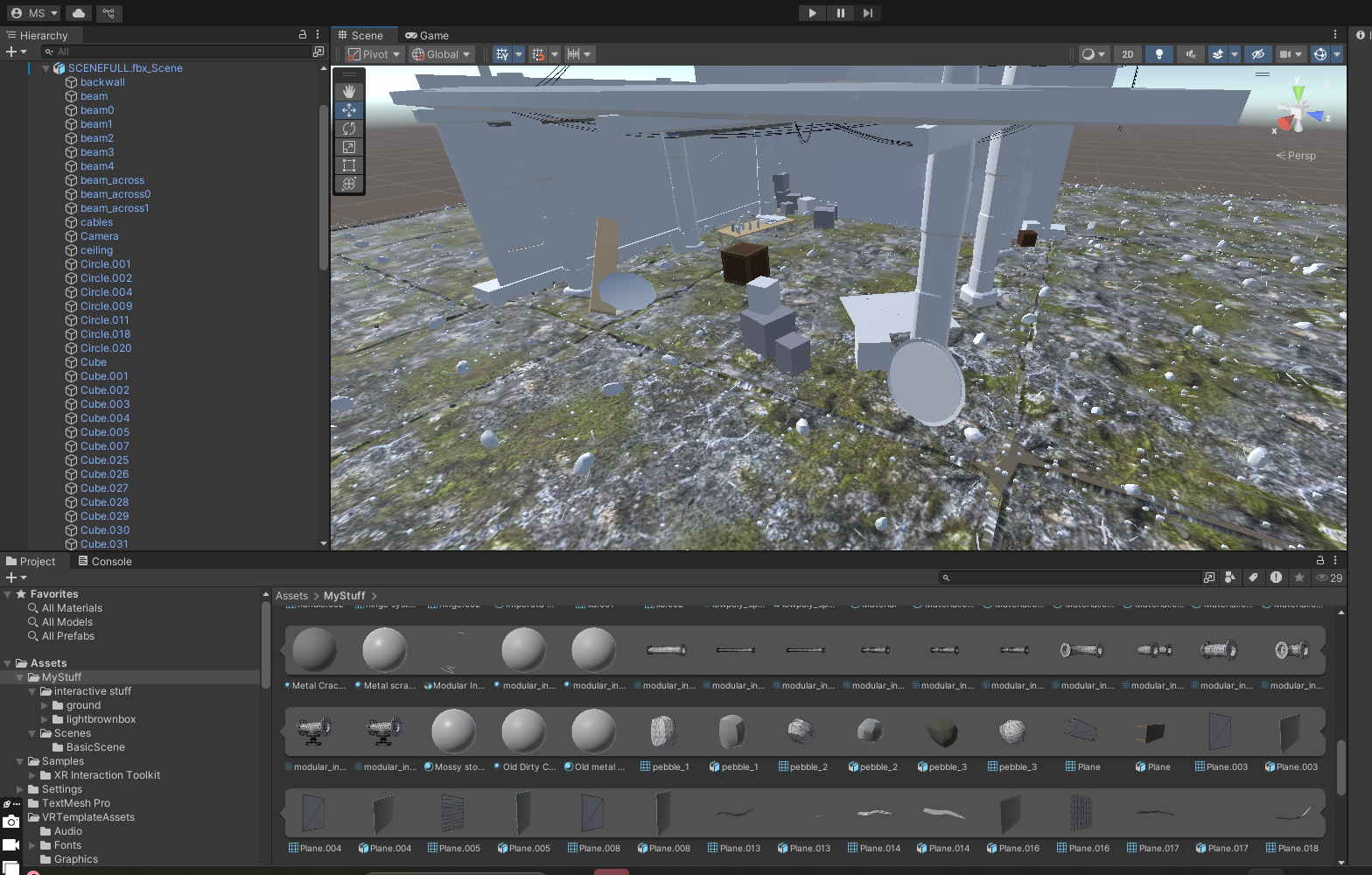
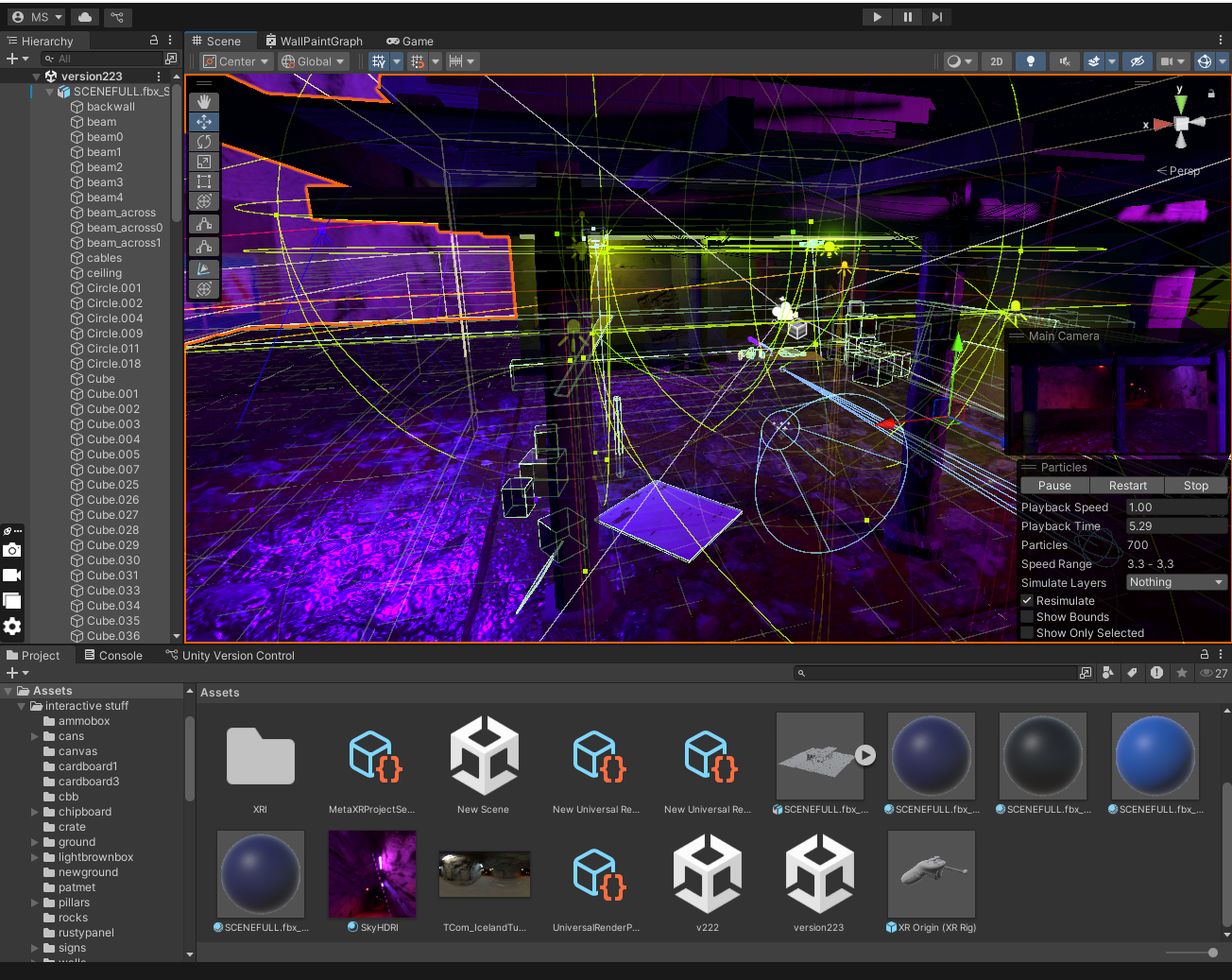
After the baked assets imported correctly, multiple lighting setups were tested to balance neon-heavy lights, material legibility, and performance. Static lighting was baked where possible. Colliders and bounds were then created and tuned throughout the environment to prevent clipping and unstable physics.

Zone One scene assembly and collider development in Unity
Scene assembly, collider work, and interaction development in Unity.

Graffiti system

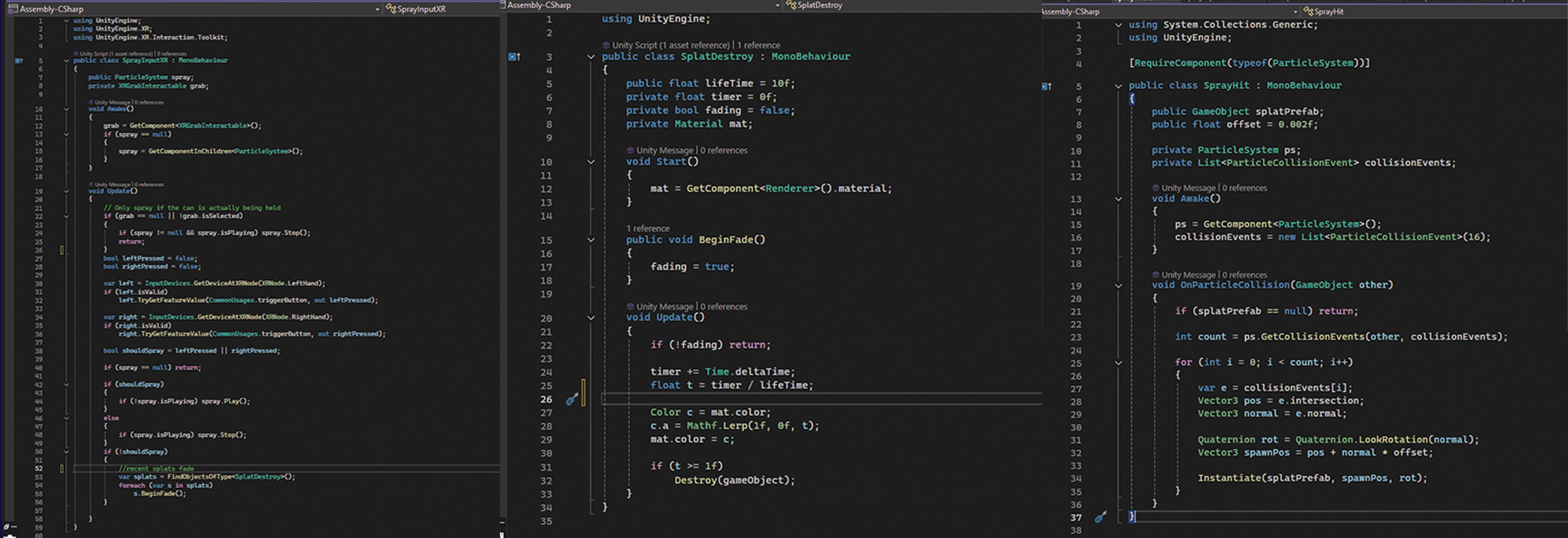
The graffiti system is built around three coordinated C# scripts:

Zone One C-sharp graffiti-system scripts
Input, particle-collision, decal-placement, fade, and cleanup logic.

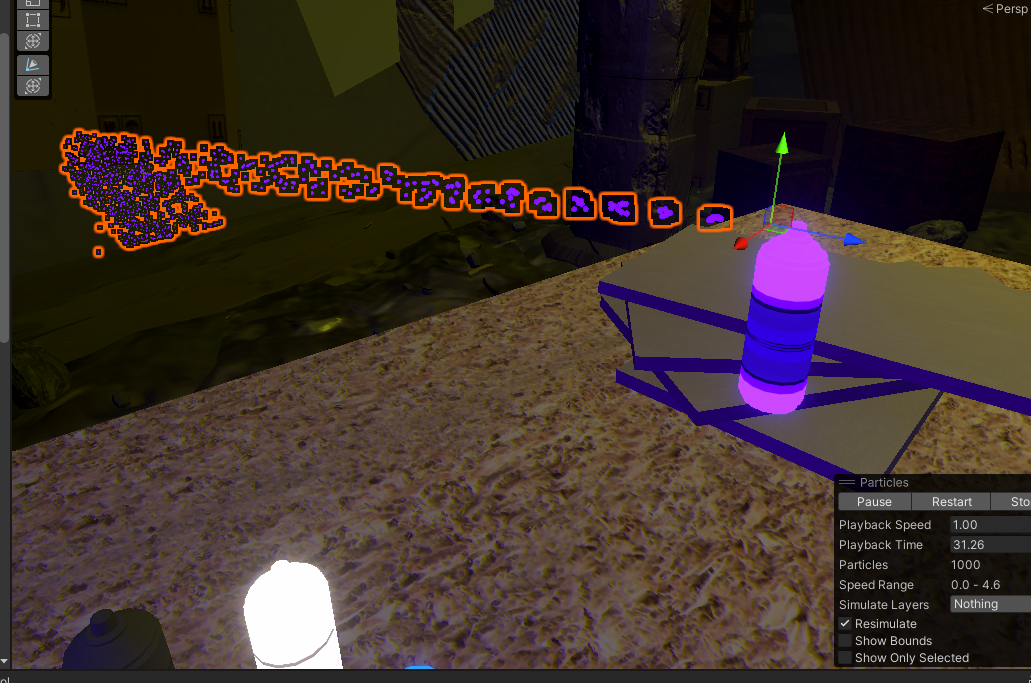
Particle systems were adjusted in the Unity viewport to achieve smooth motion without excessive particle counts or overdraw. The project was first tested on PC under comfortable development conditions, then optimized specifically for standalone Quest 3S graphics and bandwidth limits.

Zone One Unity particle-system settings
Particle-system iteration during the visual-polish and performance pass.

Optimization included baked lighting, VFX intensity, physics testing, and repeated checks on the standalone headset. The final project was exported as an Android APK, deployed to the Quest 3S, and presented in Myrtle Digital Plaza.

Constraints

Standalone VR imposed limits on lighting, shaders, particle counts, physics, and scene complexity, which sucked since I initially wanted something very cinematic. I learned from this that before graphics and visuals, comfort must come first in VR, or the viewer won't have a good experience. Frame stability had priority over real-time rendering. The neon yellow-green, purple, blue, and pink lighting direction also risked oversaturation, crushed blacks, flattened materials, and unclear light sources, so visual intensity had to be balanced against legibility and performance.

The installation had to remain readable both inside the headset and on two external screens. Projection reduced dynamic range and could crush dark values, making the saturated scene appear flatter and darker than intended, so I had to account for both when adjusting the final product.

Grabbable and throwable objects required stable colliders, sensible rigidbody parameters, and controlled bounds to avoid jitter, tunneling, clipping, or unexpected movement. Allowing users to throw objects out of the scene was intentional, though. It seemed like something everyone greatly enjoyed doing.

Spawned decals and per-instance material changes would've accumulated more overhead, so I thought of using timed decal destruction to put a clamp on it.