Interactive animation installation · 2026

Abstraction

A physical potentiometer controls movement through a visual sequence representing hardware, machine representation, high-level code, and graphical interfaces.

BlenderTouchDesignerSerialArduino IDE
RoleSolo creator
ToolsBlender, TouchDesigner, Arduino IDE
PlatformProjected installation
ContextDocumentation pending

OVERVIEW

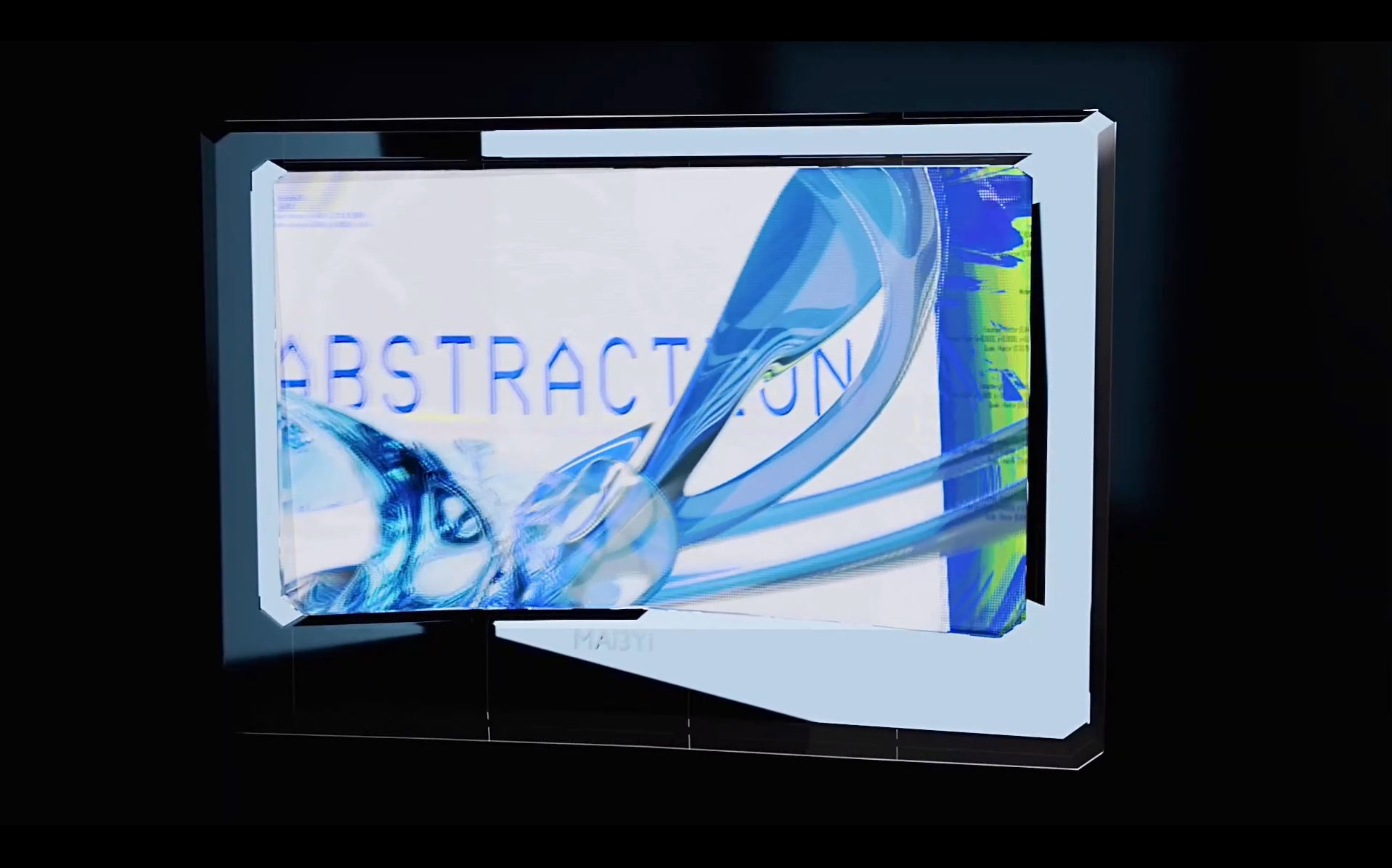
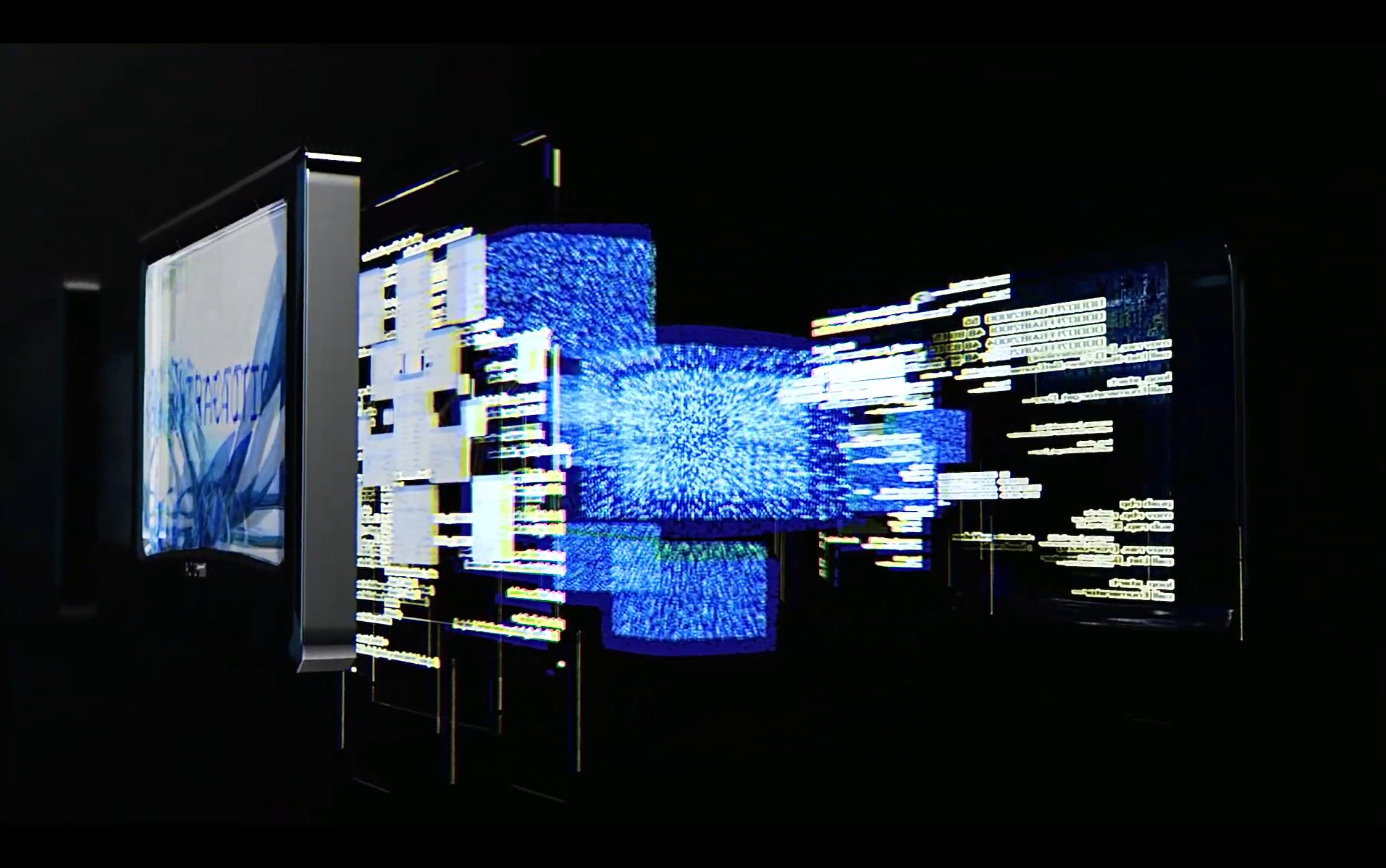
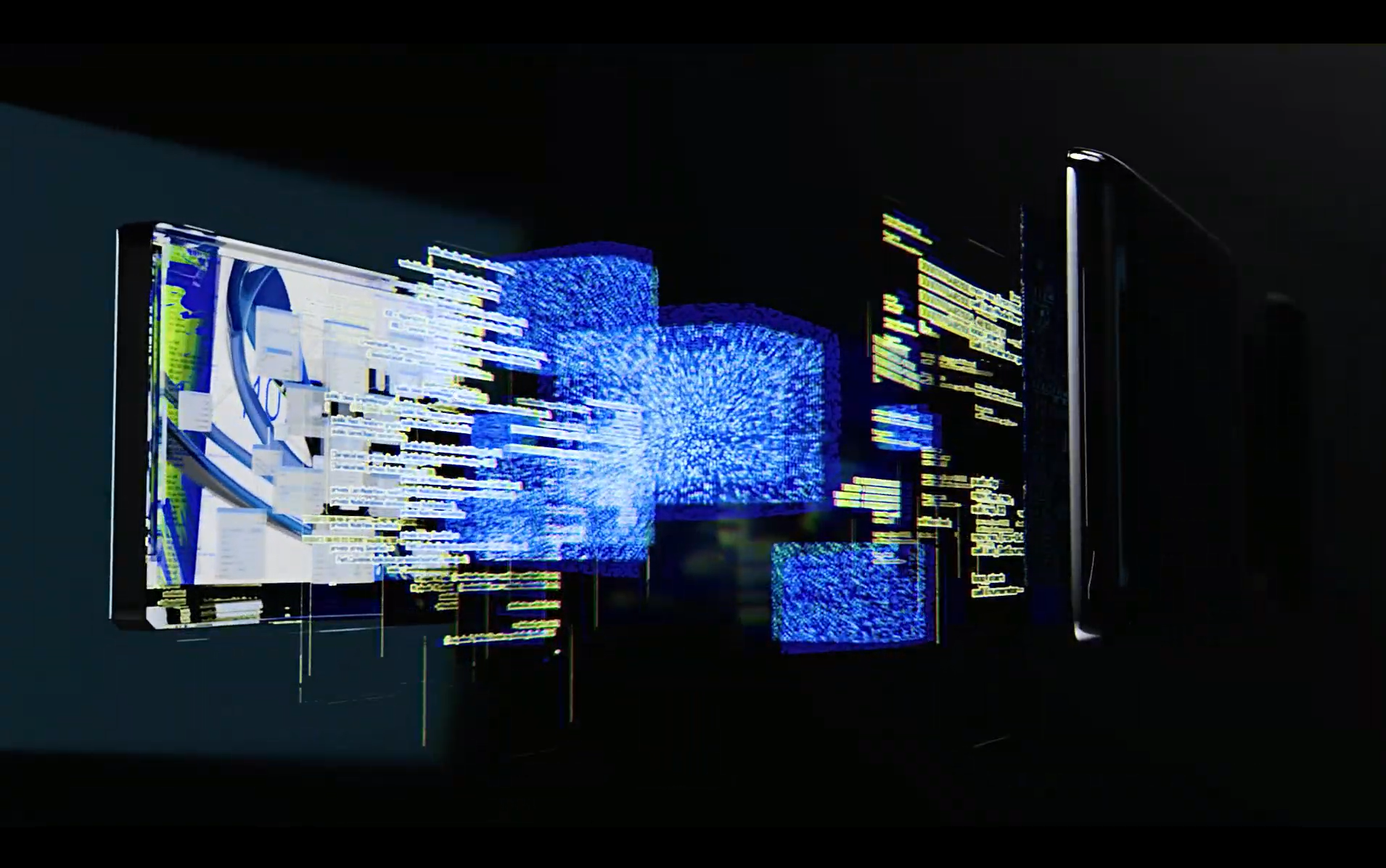
Abstraction visualizes the layered structure of digital computing as one continuous 3D animation. The sequence exposes the physical hardware, binary or machine layer, high-level programming, and the graphical interface most users encounter.

A physical potentiometer lets the viewer scrub through the layers in either direction. The project treats abstraction itself as the interaction: the user can move between the visible interface and the systems hidden beneath it rather than passively watching a fixed video.

DETAILS

Concept

Abstraction visualizes the layers that exist inside digital computing systems. Most users encounter only GUIs, and those interfaces sit above high-level programming, lower-level machine representation, and physical hardware. Each layer reduces the cognitive load required to use the one beneath it, but that convenience also hides how the system actually functions, which makes it interesting to expose it.

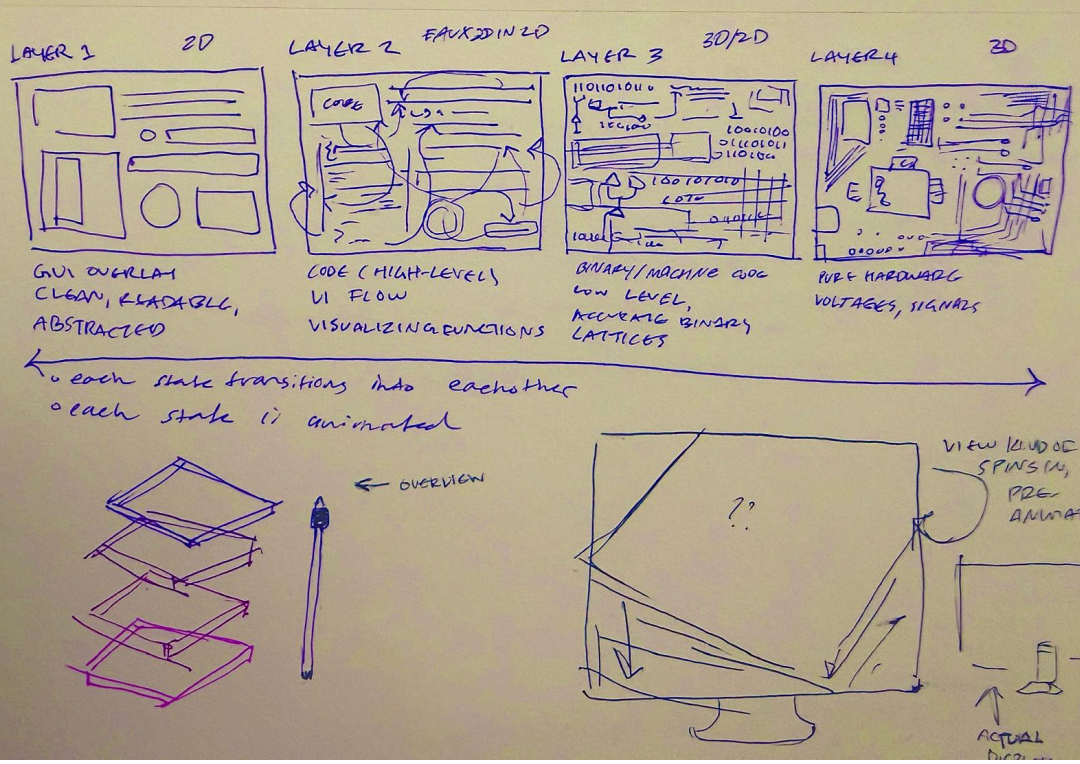
The piece turns that normally invisible vertical structure into one continuous 3D sequence. Its four visual stages represent a modeled circuit board, binary or machine-level representation, high-level code, and the graphical interface presented to the user.

A physical potentiometer allows the viewer to move backward and forward through the sequence rather than watching a fixed animation. The direction and pace of the visual transition follow the control, making the act of uncovering or reapplying abstraction explicit.

Initial Abstraction concept sketch
The first sketch mapped the computational layers into a single navigable composition.

Technology

The layered animation was modeled and rendered in Blender. The graphical-interface plane used a Photoshop composition as an image texture, while additional 2D assets were composited into the blockout before the final detailing and render passes. After Effects was used for compositing and presentation refinement.

A potentiometer connected to a XIAO RP2350 supplied the physical control. Code written in the Arduino IDE read the analog value and transmitted it to TouchDesigner over serial communication.

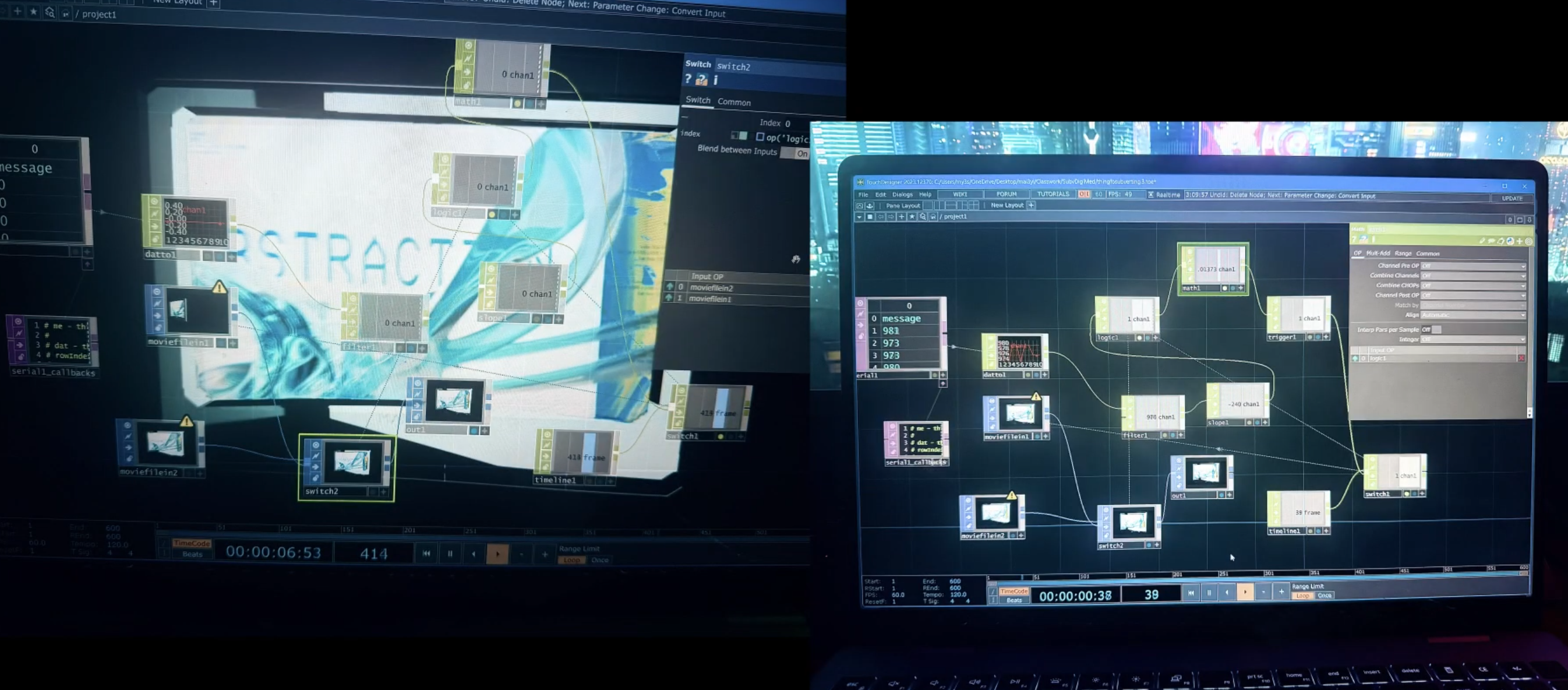
TouchDesigner received the serial stream and mapped the potentiometer value to animation position, direction, and playback state. Two rendered states were prepared: an idle animation used when the slider remained at frame zero for more than a second, and the primary animation used when the control moved. A Switch operator selected between those states.

TouchDesigner network for Abstraction
The network coordinated serial input, state switching, timeline mapping, and projected output.

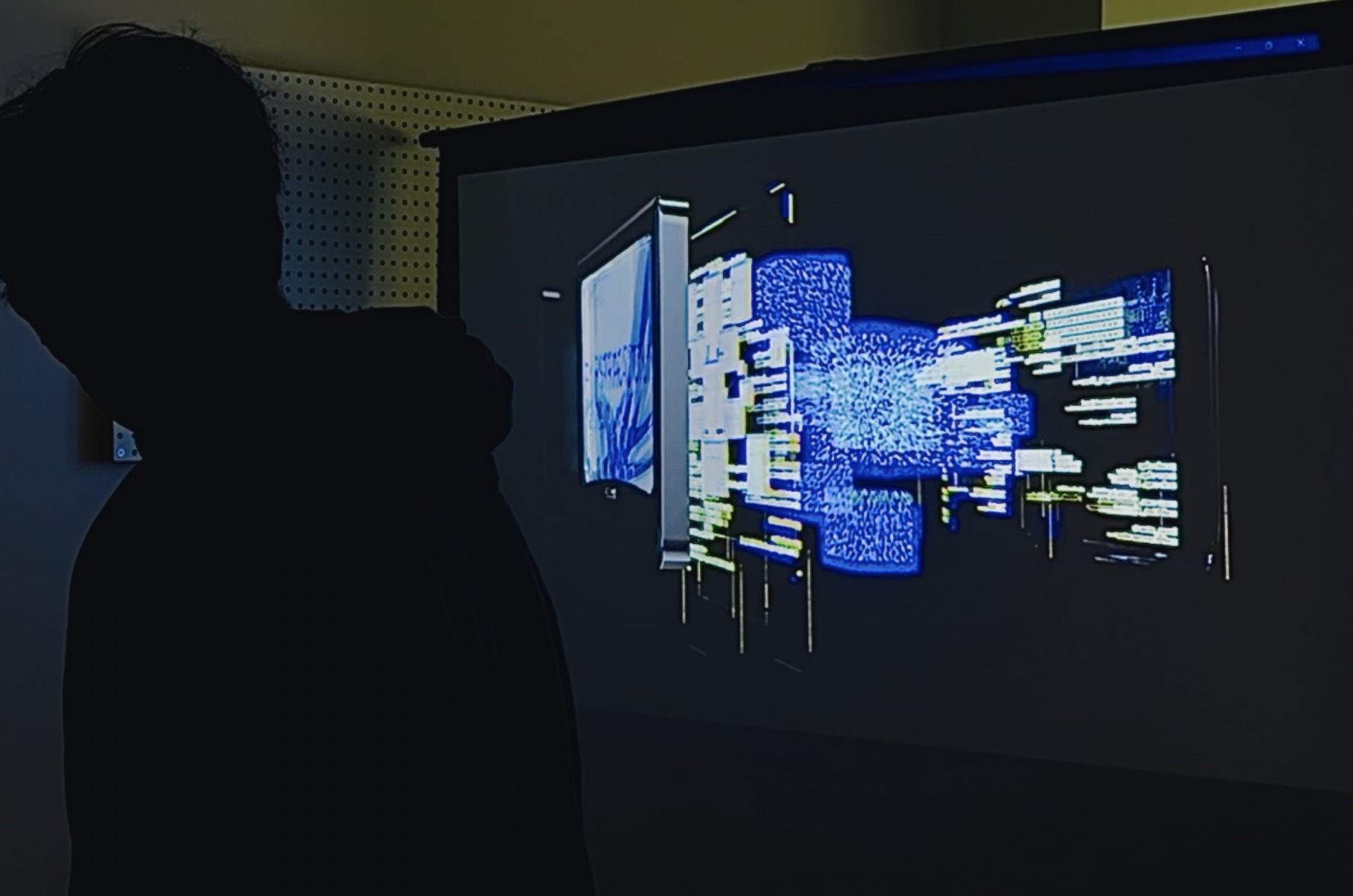
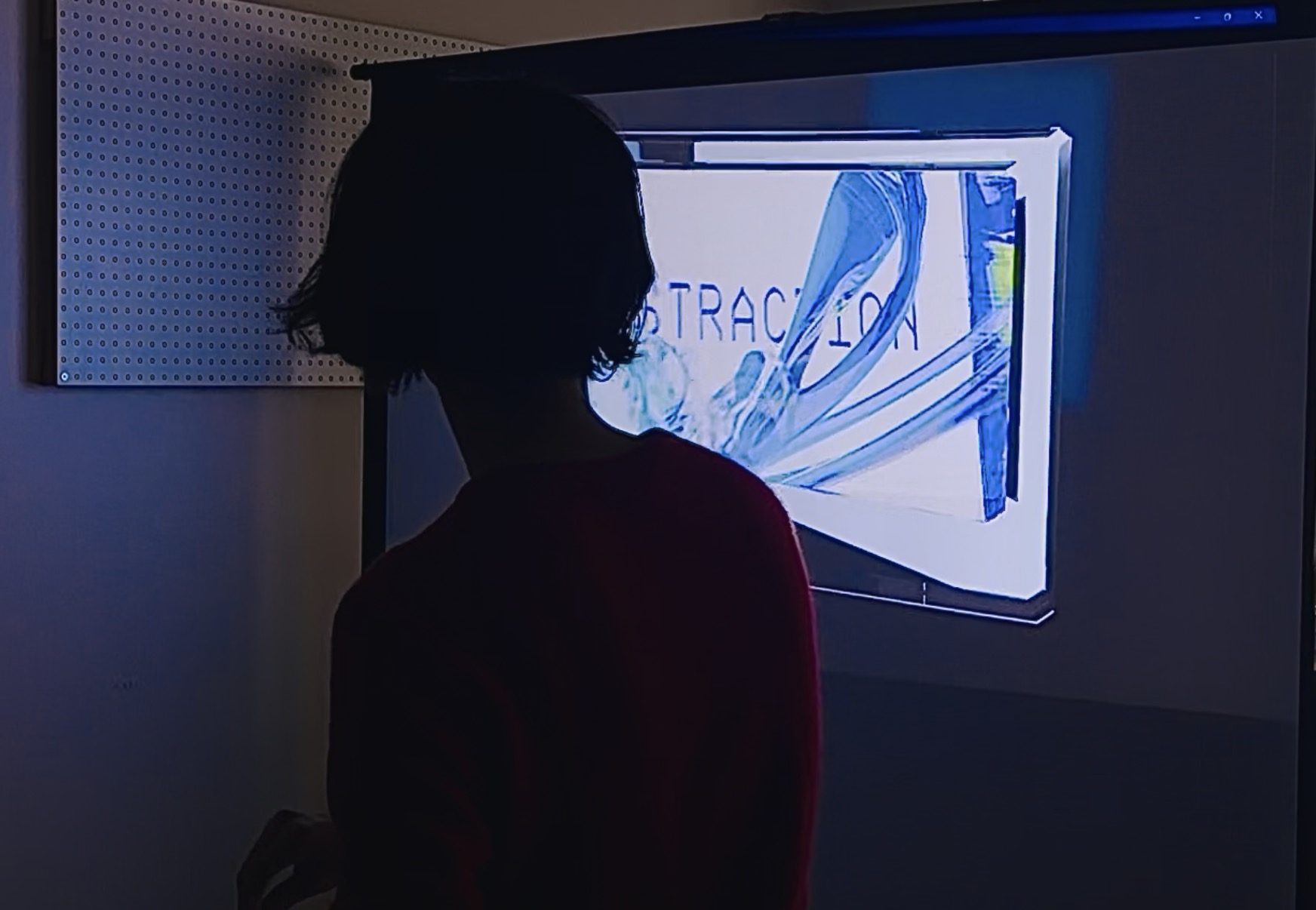
The final output was projected onto a screen with the potentiometer positioned nearby.

Process

The project began with a concept sketch followed by a simple Blender animation test. That test established whether the four computational layers could read as parts of one continuous transition before the scene was fully modeled.

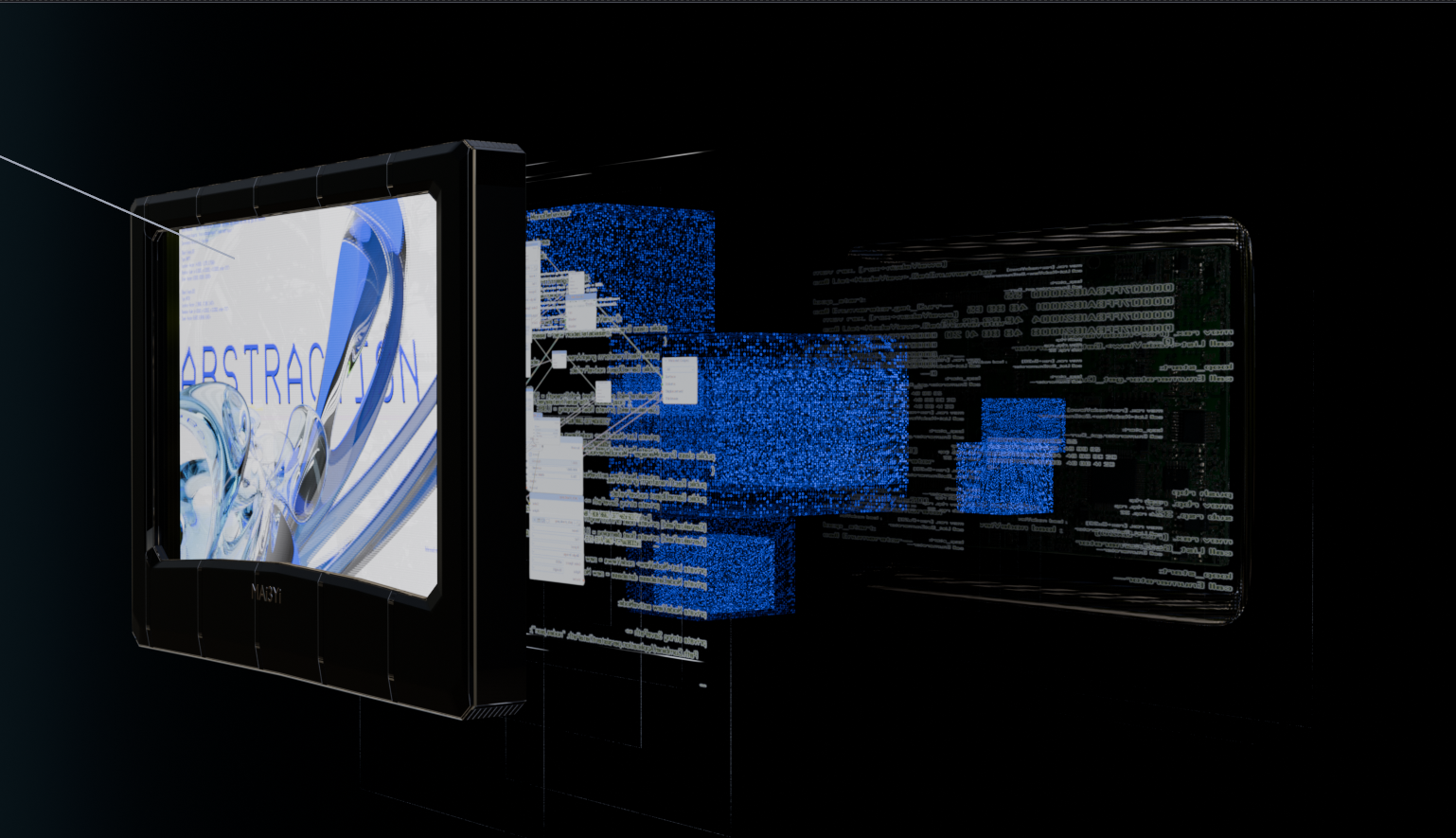
Early Abstraction render test
An early render used to test structure, material behavior, and the continuity of the transition.

After the motion test, the main abstract form was modeled and rendered over the graphical composition created in Photoshop. That composition became the image texture for the first plane. Additional graphic assets were produced and placed into the blockout before the scene received its final modeling, materials, and visual detailing.

A glass-and-caustics material direction was also tested. The preview animation was retained as documentation, but that look was not used as the final visual system because I felt it wasn't crisp enough.

Test animation for the discarded caustics and glass-distortion direction.

Two animation states were rendered for TouchDesigner: an idle state and a user-controlled state. Serial values from the potentiometer were used as reference points for timeline position and as the condition for switching between them.

The potentiometer was then wired to the XIAO RP2350 and connected to the TouchDesigner network. Final testing focused on whether the physical movement read as a direct manipulation of the digital layers and whether the idle-to-active transition behaved consistently.

The completed sequence was projected onto a screen, and the physical controller was placed near the projection. This made the control-to-image relationship visible without adding a separate interface layer.

Constraints

The largest technical problem was jitter in the potentiometer values. Small fluctuations in the analog signal caused the animation to move between nearby frames even while the control was intended to remain still.

A Filter CHOP was added to smooth the incoming values. It reduced some visible noise but did not eliminate it, and stronger smoothing would have made the interaction less responsive. The remaining frame movement became an accidental visual quality—it kept the projection from appearing completely dead—but it remained an unresolved input problem rather than an intentional technical solution.

The interaction depended on a stable chain from potentiometer input to microcontroller sampling, serial transmission, TouchDesigner processing, state switching, timeline mapping, and video playback. Noise or delay at any stage weakened the impression that the viewer was directly controlling the computational layers.

Because TouchDesigner controlled pre-rendered animation rather than the Blender scene itself, visual changes had to be anticipated before rendering. The interaction could scrub, reverse, and switch playback states, but it could not alter the underlying 3D composition in real time.